11 February 2022

10 Best WordPress SEO Plugins for Higher Ranking (2026)
Trying to find the best WordPress SEO plugins to boost your rankings and bring in the right kind of traffic?
You’re in the right place.
A good SEO plugin makes it easier to optimize your site for search engines—even if you don’t have much SEO experience. It helps you handle the technical stuff so you can focus on creating great content and growing your site.
In this post, we’ve put together a list of the best WordPress SEO plugins out there. The goal is simple: help you pick the one that fits your needs, drives more traffic, and supports your business growth. We’ve worked hands-on with many WordPress SEO plugins over the years, and we’ll share practical insights into how they can improve your site’s visibility, search rankings, and overall performance.
What Are SEO Plugins?
SEO plugins are specialized software extensions designed for Content Management Systems (CMS) like WordPress that automate technical search engine optimization tasks. They act as a “digital assistant,” allowing website owners to optimize on-page elements—such as meta tags, sitemaps, and content readability—directly within their dashboard without needing to write code.
Core Functions of SEO Plugins
While different tools offer unique features, most high-quality SEO plugins provide a foundational set of capabilities:
- On-Page Optimization: Real-time feedback on keyword density, headline strength, and image alt text.
- Technical Automation: Automatic generation of XML Sitemaps and robots.txt files to help search engines crawl your site.
- Schema Markup: Simplifies the addition of structured data, making your site eligible for “rich snippets” and AI citations.
- Meta Tag Management: Custom control over Title Tags and Meta Descriptions for better click-through rates (CTR).
- Redirect Management: Easily manage 301 redirects to prevent “404 Not Found” errors that hurt rankings.
How We Test & Review the Best SEO Plugins for WordPress
Here are a few ways we test and review SEO plugins for WordPress:
- We use them on our own sites: We don’t just talk about SEO plugins—we actually use them on our own websites. We test them thoroughly in real-world situations. This hands-on experience helps us share honest insights about how well they work, how they affect visibility, and how they influence search engine rankings.
- What we look at: When reviewing SEO plugins, we focus on the things that matter most. This includes how easy they are to use, how much they cost, the features they offer, and other practical details that can make or break the experience.
The 10 Best WordPress SEO Plugins 2026
Here are our top picks:
1. Yoast SEO

Yoast SEO is the #1 top SEO plugin for WordPress.
At its basic level, Yoast allows you to customize the title tag, URL slug, and meta description for your pages, which are all crucial in terms of SEO.
When it comes to content-level optimization, Yoast detects SEO issues in your content. And it highlights areas for improvement.
Remember that these are only suggestions. You don’t have to follow every Yoast recommendation.
Besides scanning your content for SEO-related issues, it also analyzes your content’s readability. And provides suggestions for improvements.
Top Features:
- The content and SEO analysis tool checks the readability and SEO of your websites and blog posts.
- Integration with Google Search Console.
- Support focus keywords for your content.
- You may use the redirection tool to perform 301 redirects, which will transfer visitors from one page to another of your choosing.
- Tracking of internal links.
- Automatically generates an XML sitemap for all of your content.
- Avoid Google penalties by using canonical URLs.
- Allows you to personalize what people see in Google when you appear on the search engine results page by editing/adding custom snippets.
- Customize breadcrumbs on your site so they are easier to navigate and index.
Pricing:
Yoast’s SEO plugin has both a free and a paid version.
The Yoast free version is limited in terms of features and functionality. The premium edition costs $99/year and offers access to all of Yoast’s features.
2. All in One SEO

All in One SEO is the WordPress SEO plugin, and it has been helping users with little SEO skills to get their sites to rank higher since its inception.
It has evolved to handle every element of SEO you could need. But don’t worry: you won’t be bogged down by sitemaps and JSON schemas.
Even if you don’t have any SEO experience, the plugin is surprisingly simple to use for its strength.
Download the plugin and follow the wizard’s steps to install it. You’re ready to proceed if you can answer simple questions like a blog or an online store. Your site would have all of the essentials locked down in 10 minutes.
It’s a piece of cake to troubleshoot and fine-tune things from there. AIOSEO audits your site regularly and explains the improvements you need to make in plain English.
It automatically prioritizes issues, highlighting what has to be fixed right now and missing optimization opportunities. Follow the steps in the checklist, and you’ll be well on your way to maximizing the potential of your website.
Top Features:
- XML and RSS sitemap support.
- Schema markup.
- Avoid Google penalties by using canonical URLs.
- Google Analytics support.
- API support.
- Duplicate content detection.
- Automatically notifies site changes to search engines.
- Ecommerce SEO.
- AMP support.
- Image SEO.
Pricing:
The All In One SEO plugin has both a free and a paid version.
The paid version’s price depends on the plan you choose. The most basic paid plan starts from $49.50/year.
3. SEOPress

SEOPress is another straightforward yet powerful WordPress SEO plugin. It has all of the SEO capabilities you’d expect, such as meta titles, descriptions, open graph support, image and content XML sitemaps, redirects, and more.
It has a simple setup for beginners as well as complex features for more experienced users. In terms of functionality and options, it is comparable to other top WordPress SEO plugins on the market.
The plugin’s premium edition is less expensive than some other premium WordPress SEO plugins on the market.
Top Features:
- The setup wizard is simple to use.
- Dynamic titles and meta descriptions.
- Improve social media sharing using Open Graph and Twitter Cards.
- White label SEO.
- Create your XML Sitemap to help in search indexing.
- Image XML sitemaps to improve Google Images Search Indexing.
- Custom canonical URL.
- Image SEO.
- Content analysis using unlimited keywords to help you in creating search-engine-optimized content.
Pricing:
SEOPress is a freemuim WordPress plugin. The free version has limited features.
The paid version (which starts at $49 per year) gives you extra features and advanced functionality, such as OpenAI integration, a redirect manager, and so on.
4. Rank Math

If you are looking for the best free seo plugin for WordPress, check out Rank Math. Rank Math helps you with basic on-page SEO. For example, you can create title tags and meta descriptions.
In addition, you can preview these items to see how they will show in search results.
The plugin can also generate robots.txt and sitemap files. Both of these are important to control search engine crawling activity on your website.
Furthermore, Rank Math has several features and tools that allow you greater control over the SEO of your WordPress site.
Learn more in our complete Rank Math review.
Top Features:
- Easy-to-use setup wizard.
- You may easily add meta titles, descriptions, and Open Graph metadata to your content.
- Create an XML site map.
- Google Search Console integration.
- Control over who can do what via user roles.
- Advanced SEO analysis tool.
- Integrated Google Schema Markup (Rich Snippets).
- Internal link suggestions.
- Automatic keyword suggestions from Google.
- Optimize unlimited Keywords at once.
Pricing:
Rank Math offers both free and paid versions. You can use the basic features for free.
For more advanced features, you can upgrade to a paid version starting at $6.99/month.
5. Squirrly SEO

Squirrly SEO is an AI-powered WordPress plugin that also works as a SaaS platform. It connects directly with Google Search Console and Google Analytics, so everything happens inside WordPress without switching tools. It’s also compatible with caching plugins like WP Super Cache and WP Rocket, keeping your site fast.
During setup, you choose between beginner and expert modes. Beginner mode lets the AI handle the settings for you, while expert mode gives full control to customize things based on your SEO knowledge. You can also import settings from other popular SEO plugins like Yoast SEO and Rank Math.
Squirrly SEO includes all the standard SEO features, such as meta tags, schema, social sharing, and indexing controls. Its standout feature is the SEO Live Assistant, which gives real-time feedback as you write content in WordPress editors and page builders.
Beyond basics, it covers the full SEO lifecycle with keyword research, audits, rank tracking, and gamified training programs that help you learn and improve as you go.
Top Features:
- Schema markup.
- Google Analytics integration.
- Custom robot.txt for site crawlers.
- Google Search Console integration.
- XML sitemap.
- Advanced eCommerce features.
- Social media monitoring.
Pricing:
Squirrly SEO offers both free and paid versions. You can use the basic features for free.
The paid version starts at $20.99 for the first month and, thereafter, costs $29.99/mo.
6. The SEO Framework

The SEO Framework (TSF) is a fast, full-featured SEO plugin that’s free to use, with optional free and premium extensions if you need more advanced tools. When you activate it, TSF scans your WordPress site and automatically configures the settings using AI. You can tweak everything later, and it also lets you import settings from plugins like Yoast, Rank Math, or SEOPress.
Behind the scenes, TSF takes care of key SEO tasks. It generates sitemaps, enables breadcrumbs for Google Search, and creates optimized titles and meta descriptions in any language. The plugin originally focused on auto-generating descriptions, and it still does this well by using the opening lines of your content.
Each post or page comes with on-page SEO controls, including titles, descriptions, social settings, and visibility options. Color-coded indicators quickly highlight issues. You can also extend TSF with add-ons like Focus, Articles, Local, and Title Fix. Overall, TSF is a reliable, hands-off SEO solution that gets the job done efficiently.
Top Features:
- Pre-configured right out of the box.
- Titles and descriptions are automatically generated according to Google’s standards.
- Edit Open Graph Metadata with ease.
- Breadcrumbs for Google Search are enabled.
- Support forums are open to the public.
Pricing:
Like all other plugins on this list, the SEO Framework has a free version with limited features.
The premium version starts at $7 per month and is available on two sites.
Get Started with SEO Framework
7. Slim SEO
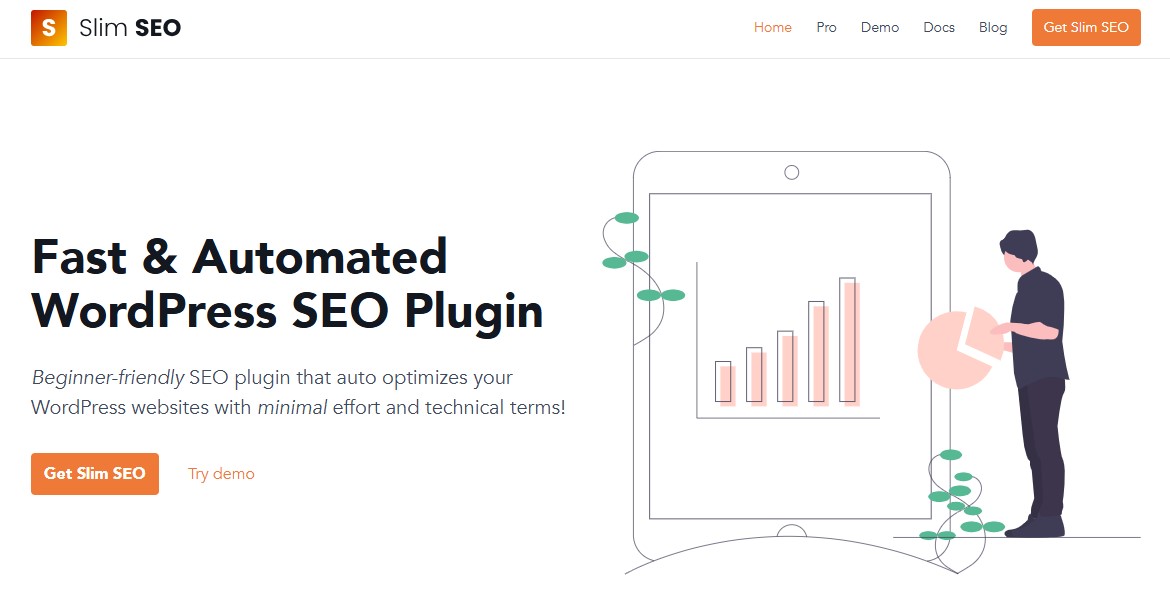
Tired of messing with endless SEO settings? Slim SEO does the heavy lifting for you. It’s a lightweight plugin that sets itself up automatically, so you don’t have to babysit it.
It covers the core technical SEO tasks right out of the box. No manual setup needed. That makes it a great choice for small blogs, niche websites, or anyone who wants better SEO without getting hands-on.
One feature that really stands out is image optimization. When you upload an image, the plugin creates alt text for you. It uses the file name and the surrounding content, which saves time and keeps things relevant.
There’s also a built-in migration tool. You can easily move your SEO settings and redirects from plugins like Yoast or Rank Math without the usual hassle.
Overall, slim SEO isn’t the most advanced technical SEO plugin for WordPress. But for handling the basics quietly and reliably, it does a solid job.
Top Features:
- Automatically generates meta titles, descriptions, Open Graph, and Twitter card tags.
- Automatically implements JSON-LD schema markup for enhanced search results.
- Generates XML sitemaps and provides breadcrumbs without extra configuration.
- Handles 301 redirects, manages broken links, and tracks 404 errors.
- Easily add tracking codes (e.g., Google Analytics, Facebook Pixel) to the header/footer.
- Automatically fills in missing image alt text.
Pricing:
A free version is available on WordPress.org. The Pro version starts from $59/year for a single-site license.
8. Semrush SEO Writing Assistant

Semrush’s SEO Writing Assistant plugin allows you to create content that is optimized for users and search engines.
It analyzes the content you write based on readability, tone of voice, originality, and SEO. And gives suggestions for improving these qualities.
For example, if the plugin notices that your article’s title does not contain your target keyword, it will flag it as an issue and recommend adding it to your title.
Or, if the plugin discovers duplicate or plagiarized content, it will highlight the offending text.
Duplicate or copied content on your website might have a negative impact on rankings. The SEO Writing Assistant plugin is an excellent addition to your SEO strategy since it highlights issues like these.
Top Features:
- A plagiarism checker to check the originality of content.
- Rparaphrase content with AI.
- Recommendations on relevant keywords to use in your content.
- Readability analysis to tell you how easy or difficult your content is to read.
- Tone of voice analyzer to improve the writing style and tone of your content.
Pricing:
To use a Semrush SEO Writing Assistant, you must have a Semrush account.
For a free Semrush account, you can check one article. To check more, subscribe to the Guru plan for $208.33/month (billed annually).
9. Redirection

Some plugins are so simple but essential that it’s difficult to imagine running your website without them. Redirection is one such plugin.
Broken links and deleted pages are common occurrences on all websites. However, this plugin allows you to keep the traffic, rankings, and backlinks connected with a deleted page by easily setting a 301 redirect.
While many SEO optimization plugins, such as AIOSEO, provide an outstanding redirect manager, Redirection is the ideal solution if you don’t want to utilize more feature-rich SEO plugins and instead want a basic redirect manager.
Top Features:
- Set up conditional redirects.
- Import and export system.
- Track 404 errors.
- Full logging option for redirects.
- Supports regular expressions.
- Integration with WordPress REST API.
Pricing:
The Redirection plugin is free.
10. WP Rocket

WP Rocket isn’t an SEO plugin but rather a WordPress caching plugin that improves site speed and performance. Once you install the WP Rocket plugin, it will automatically implement 80% of the recommended settings and measures for your website. This will offer your website an instant speed boost.
Why should you have this in your SEO toolkit? Speed directly impacts user experience and can affect how search engines rank and crawl your site.
Google’s algorithm determines the quality of user experience by considering a number of criteria, including website speed. Pages that load faster are more likely to be ranked higher since they offer a better user experience.
WP Rocket can help you speed up your website even if you have no technical experience.
Top Features:
- Caching of all the pages.
- Minification of JavaScript and CSS files.
- Deferred loading of images.
- Database optimization.
- Preloading the cache of pages.
- CDN integration with RocketCDN and Cloudflare.
- Lazy loading of images and videos.
- GZIP Compression of files.
Pricing:
WP Rocket is a premium cache plugin that starts from $59/year for a single site usage.
Improve Your SEO With These WordPress Plugins Today
SEO is an important task for any website owner. Fortunately, thanks to the large number of SEO plugins, WordPress users may now do this work with ease. The right tool can help you stay on top of your meta descriptions, optimize content to rank for your targeted keyword, create XML sitemaps, and more.
In this article, we’ve looked at 10 of the best WordPress SEO plugins to help you with your on-page optimization. Yoast SEO is the go-to option for many, although All In One SEO and Rank Math have equivalent feature sets.
For more, check out these other helpful resources:
- Yoast SEO vs All in One SEO Comparison
- Rank Math vs Yoast SEO Comparison
- 12 Best SEO Tools for Small Businesses
- 10 Best SEO Writing Assistant Tools
Lastly, follow us on Facebook and X (Formerly Twitter) to stay updated on the latest WordPress and blogging-related articles.
Frequently Asked Questions
Is WordPress Good for SEO?Yes, WordPress is great for SEO when paired with a good WordPress theme and an SEO plugin such as All in One SEO.
Yes, WordPress is great for SEO when paired with a good WordPress theme and an SEO plugin such as All in One SEO.
Rank Math vs. Yoast, Which is Better?If you’re considering purchasing a premium SEO plugin, these are two of the best options, and it’s honestly hard to go wrong. Having said that, Rank Math appears to have the upper hand. They offer a robust feature set, including some exciting new additions such as AI integration. In addition, the Rank Math free version has more features than Yoast SEO.
Check out our detailed comparison of Rank Math vs. Yoast SEO.
If you’re considering purchasing a premium SEO plugin, these are two of the best options, and it’s honestly hard to go wrong. Having said that, Rank Math appears to have the upper hand. They offer a robust feature set, including some exciting new additions such as AI integration. In addition, the Rank Math free version has more features than Yoast SEO.
Check out our detailed comparison of Rank Math vs. Yoast SEO.
Can I Use Two WordPress SEO Plugins?No, you should only install one SEO plugin. Choose the one that covers all of your bases and stay with it. Installing two plugins will likely lead to errors and put your website rankings at risk.
No, you should only install one SEO plugin. Choose the one that covers all of your bases and stay with it. Installing two plugins will likely lead to errors and put your website rankings at risk.
