4 September 2025
Internal Linking for SEO: A Complete Guide to Higher Rankings
If you’ve ever wondered why some websites dominate search results while others struggle, the answer often lies in internal linking for SEO.
Many website owners and content creators focus on keywords, backlinks, and content quality. Yet they often overlook how internal links shape a site’s authority, user experience, and visibility in Google. Without a clear strategy, even your best content can remain buried.
This guide will walk you through everything you need to know about SEO internal linking. You’ll learn what it is, why it matters, and the exact steps you can take to boost your rankings. By the end, you’ll have a roadmap to implement internal linking best practices that satisfy both users and search engines.
What Is Internal Linking?
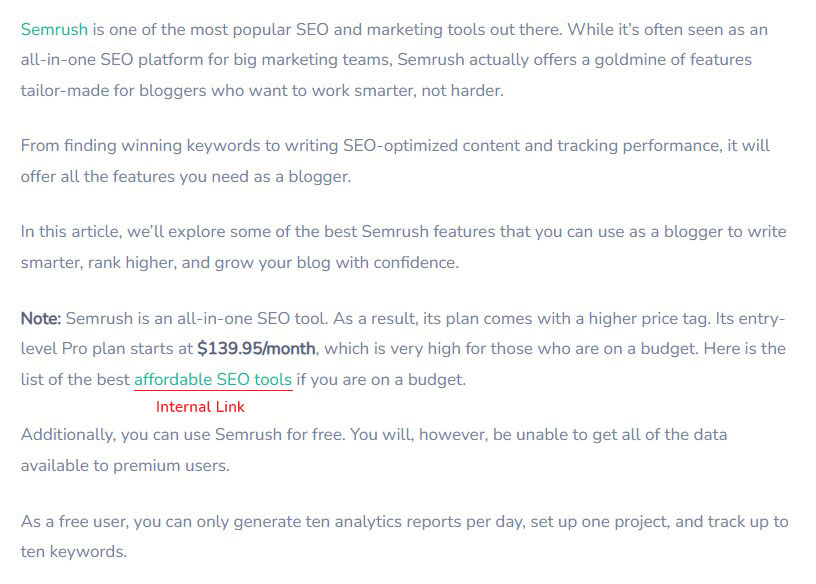
At its core, internal linking refers to hyperlinks that connect one page of a website to another page on the same domain.
Here’s an example of an internal link on one of our blog posts:
Types of Internal Links
Not all links are created equal. Understanding the types of internal links helps you structure them strategically:
1. Navigational Links
These are the links found in menus, headers, sidebars, and footers. They guide users to the most important sections of your website, such as your homepage, category pages, or service pages.

Navigational links help establish a clear site hierarchy and ensure Google crawlers can access key areas easily.
2. Contextual Links
Contextual links appear within the body of your content and connect related articles, blog posts, or product pages. They are considered the most powerful type of internal link because they pass topical relevance and authority directly within the content.

3. Footer and Sidebar Links
These links provide secondary navigation options. They often include links to privacy policies, contact pages, or popular blog posts.

While they don’t carry as much SEO weight as contextual links, they still enhance usability and ensure important pages aren’t overlooked.
4. Breadcrumb Links
Breadcrumbs show the path of a page within your website’s structure (e.g., Home > Blog > SEO > Internal Linking). They improve user experience by making navigation easier, especially on large websites. They also help Google understand the hierarchy and context of your pages.

5. Image Links
Any clickable image that directs to another page on your site counts as an internal link. For SEO, it’s important to use descriptive alt text so both users and search engines understand the purpose of the link.
6. Call-to-action links
Call-to-action (CTA) links usually appear within the content body or in the sidebar.
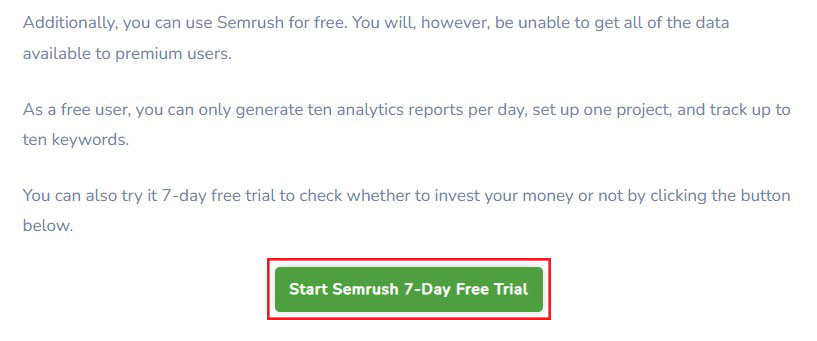
Their main purpose of this type of link is to guide users to important conversion pages. These are the pages where users can take action—such as signing up, making a purchase, or completing another important step.
7. Related Content Links
These links often appear at the bottom of a blog post or in the sidebar. They point to related content on similar topics. The goal is simple: keep readers engaged by showing them more of what they’re already interested in.

Internal Links vs External Links
Internal links take users from one page on your site to another. They make navigation easier and pass link authority between pages. These links also help search engines crawl and understand your site better. By keeping visitors within your domain, internal links can boost engagement and even improve conversion rates.
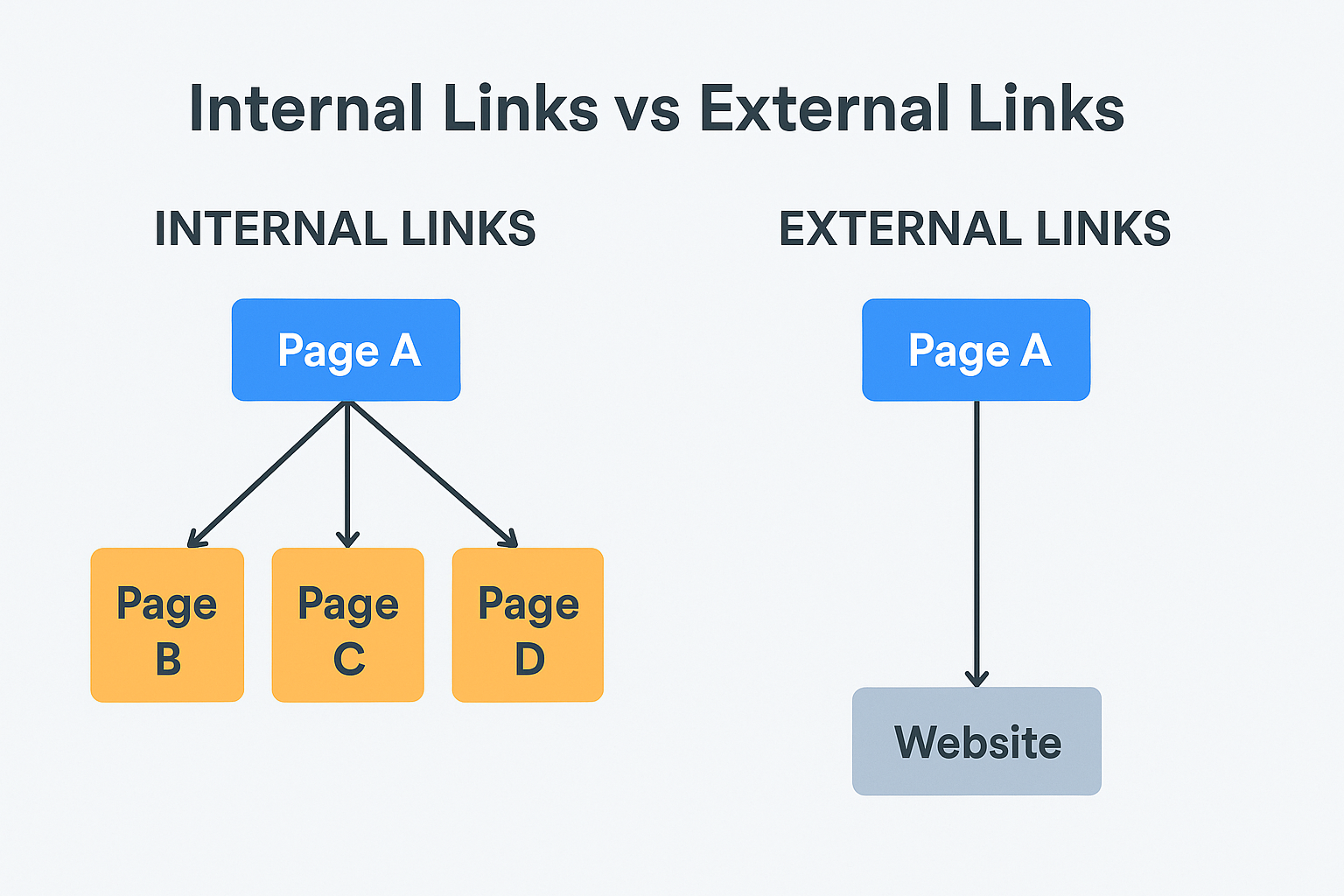
External links lead from your site to a page on another domain. They allow you to cite references and add extra context to your content. Linking to reputable sources builds trust and authority with your audience. In addition, earning external backlinks from other websites can strengthen your domain authority and improve search rankings.
Why Is Internal Linking Important for SEO?
Internal links make it easier for search engines to find and index your pages. They also show how different pages on your site connect, helping Google understand which ones carry the most importance. By passing along link equity, internal links can boost the visibility of pages that might otherwise be overlooked.
For users, internal links create a clear path to more content. This keeps visitors exploring your site longer and increases their overall time on page. Since Google views higher engagement as a positive signal, this can directly improve your rankings.
Let’s break it down further.
1. Help Search Engine in Understanding Your Site Structure
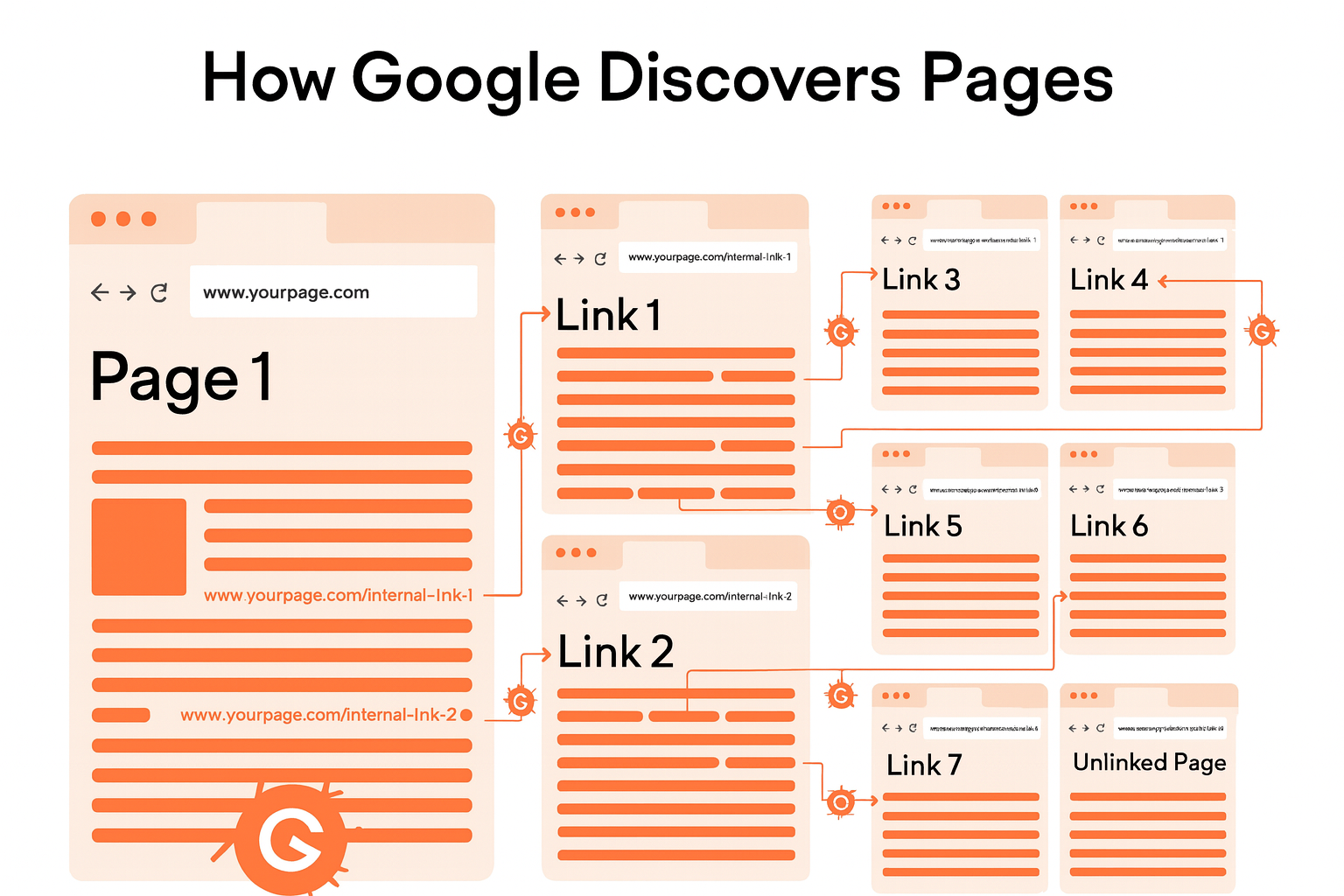
When you link related pages together, you highlight how different topics connect. These links also help Google’s crawlers find new content on your site.
Google explains it this way: “Some pages are known since Google has already crawled them before. Other pages are uncovered when Google follows a link from a known page to a new page.”
2. Increased Page Authority
Internal links help distribute authority—often called “link juice”—throughout a website. When a page with high authority links to another page on the same domain, it shares some of its strength. That transfer boosts the linked page’s credibility and signals its importance.
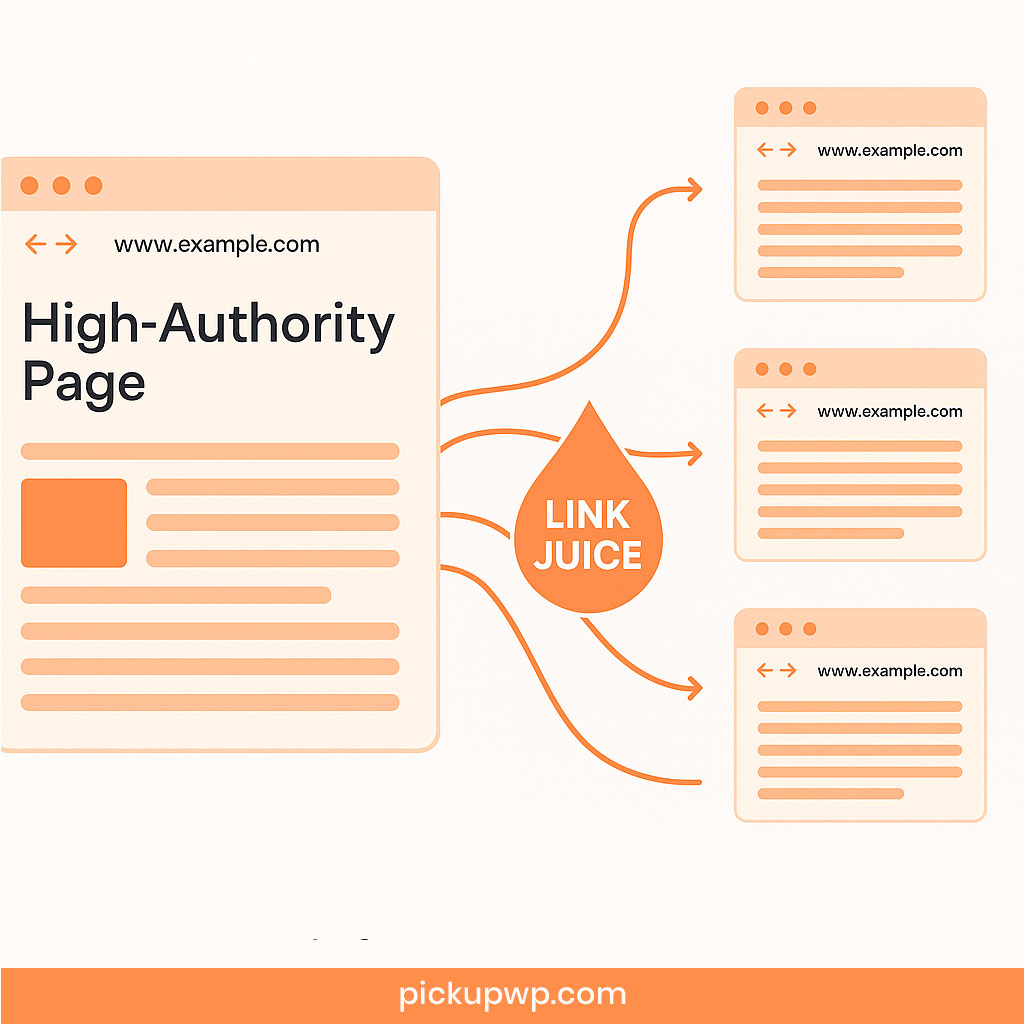
Over time, this process builds greater authority across multiple pages on the site.
3. Help Users to Navigate Between Relevant Pages
Internal links encourage visitors to explore other related pages. This keeps them on your site longer. It also increases the chances of conversions and helps users find exactly what they need.
For example, imagine someone lands on a blog post on your site about “cheap SEO tools.” You could link to a related article, such as a SE Ranking review. Or you might guide them to a comparison post like “SE Ranking vs Semrush.”
The purpose is simple: keep users engaged until they take your desired action. That might be making a purchase, filling out a form, or signing up for a service.
By showing visitors relevant and helpful content at the right time, you make it easy for them to take the next step.
How to Build Up an Internal Linking Strategy?
If your website feels confusing or unclear, it may be time to rethink your internal linking strategy.
A weak or poorly planned approach can hold your site back from reaching its full SEO potential.
The good news? You can fix this. Here’s how to build an effective internal linking strategy.
1. Plan Your Site Structure
Site structure is the way you organize and arrange a website’s pages and content. It defines the hierarchy of information on your site and acts as a roadmap for search engine crawlers.
A strong structure makes navigation simple and improves the overall user experience. It also helps search engines understand your content and index it more effectively. As a result, users can find what they’re looking for faster and engage with your site more easily.
When done well, site structure boosts performance. It can lead to higher rankings, increased traffic, and stronger conversion rates.
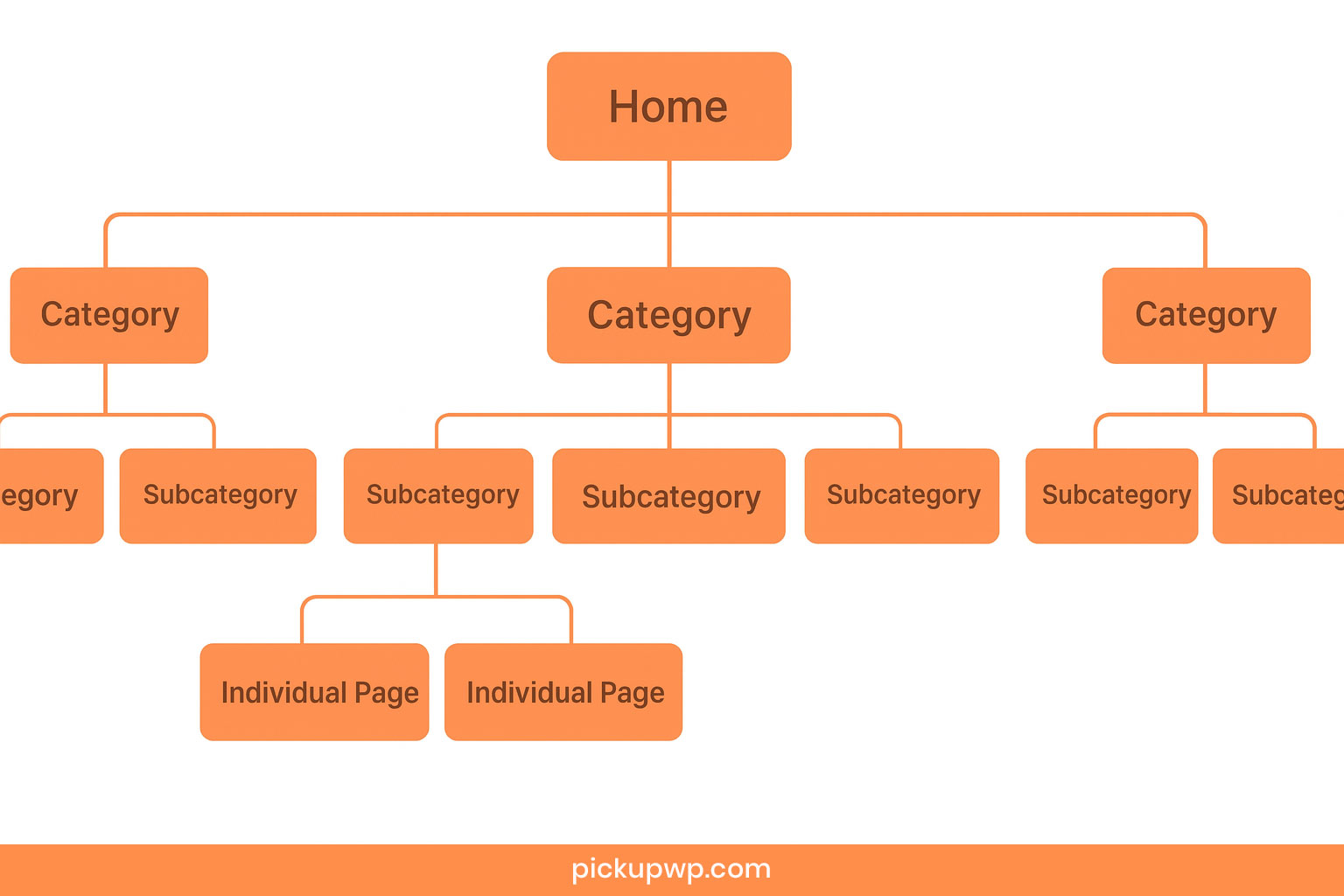
One of the most effective approaches is a pyramid-style structure:
- Top: Homepage or main pillar pages
- Middle: Subcategories or cluster pages
- Bottom: Specific content pages
2. Create Content Hubs
To create a well-organized website, start by grouping your content into hubs. Each hub should focus on a specific theme or topic.
- Pillar Page: A pillar page acts as the main page. It covers the broad subject and usually targets the primary keywords.
- Cluster Page: These are related articles or subtopics that explore the theme in greater depth and help users gain a fuller understanding.
Pillar pages usually target broad, high-volume keywords. For instance, if your main keyword is “social media marketing”, the pillar page would cover the topic broadly. Supporting cluster pages could then focus on related long-tail keywords such as:
- How to Create a Social Media Content Calendar
- Best Social Media Analytics Tools for Small Business
- Guide to Instagram Reels for Business
- Facebook Ads 101: A Beginner’s Guide
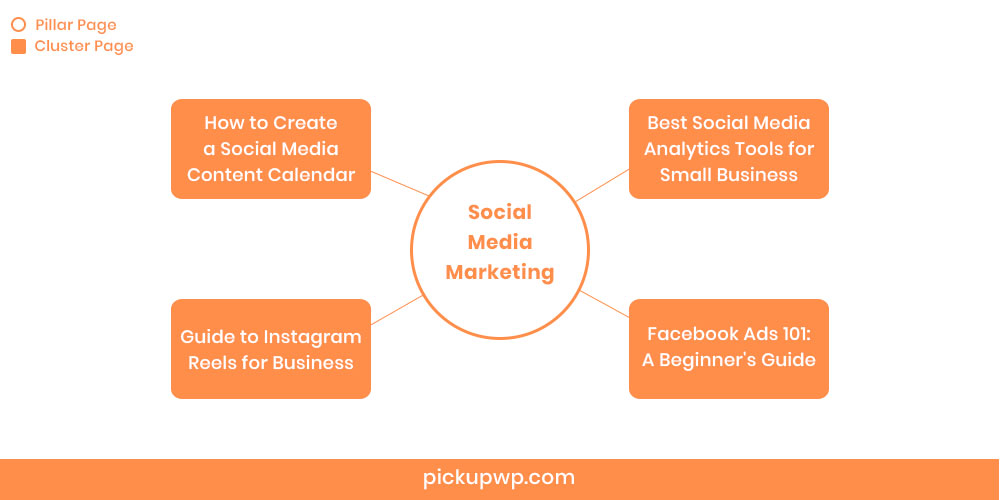
Together, these long-tail keywords form a connected topic cluster. This interlinking strategy helps your site gain authority and boosts organic rankings.
The pillar page should link to every subtopic within its cluster. This makes it easy for users to navigate through your content and ensures your site remains well-organized.
However, to build a good topic cluster strategy, you also need a good topic cluster tool. For this, Semrush is one of the best options.
Why Semrush? Because it offers a dedicate topic research tool. You simply need to enter a broad topic (your potential pillar page keyword), and the tool automatically generates a list of related subtopics, questions, and headlines that are popular and have high search volume.

It even presents the information in various formats, like a mind map, which makes visualizing your cluster easier.
The best part? You can try it for free by creating a Semrush account.
3. Use Authority Pages to Pass Link Equity
Your most authoritative pages usually have strong backlinks from external websites. Google treats these backlinks like votes of confidence. A page with many “votes” can share some of its authority—often called link equity—with other pages through internal links.
To do this effectively, start by identifying your top authority pages using an SEO tool like Semrush.
Open the Semrush Backlink Analysis tool, enter your domain, and click “Analyze.” Then, select the “Indexed Pages” tab.
You’ll see a list of your website’s pages, automatically sorted by the number of referring domains. These are your most powerful assets.
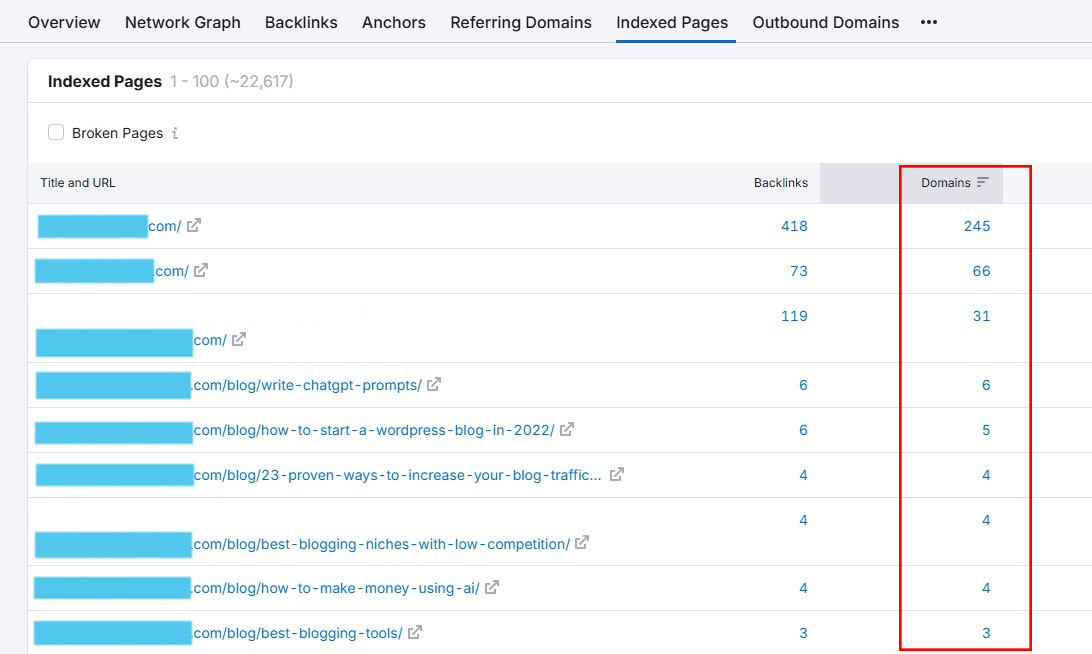
From here, start adding internal links from these high-authority pages to less authoritative ones on your site.
This strategy helps distribute link equity, boosting the rankings of pages that need extra visibility.
4. Boost New Content
A strong internal linking structure is crucial, especially if your site has few or no authoritative backlinks.
Start by picking a new piece of content or a page that isn’t performing well. Next, identify relevant opportunities for interlinking.
One simple way is to use Google’s “site:” search operator. For example, if we want to find pages on Pickup WP that mention SEO, we would search for “site:pickupwp.com SEO.”

Google will then display a list of all the related pages on that site. From there, you can add links from those pages to your new content.
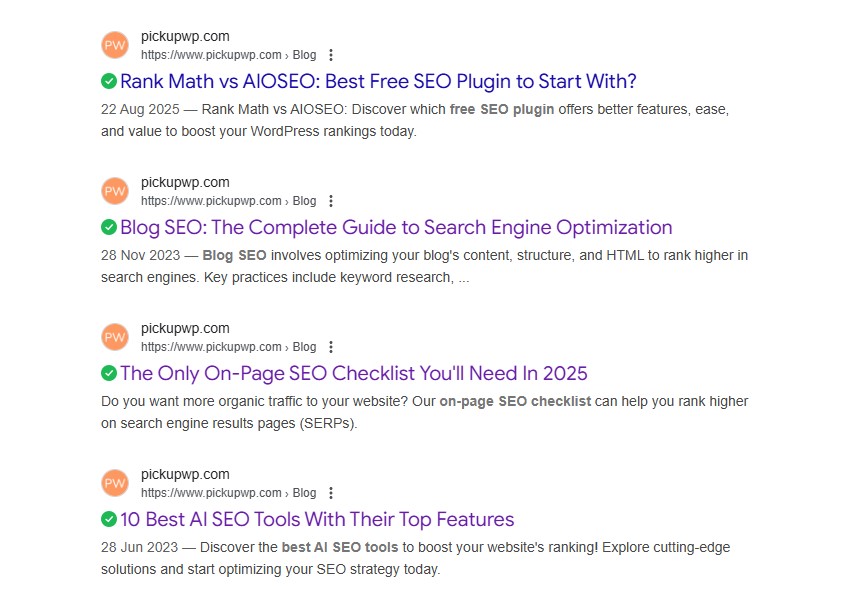
This approach helps transfer authority and strengthens the visibility of your new page.
5. Use the Right Anchor Text
When adding links to other pages on your website, pay close attention to the anchor text you use.
The right anchor text should include keywords that the linked page is targeting. It should also clearly reflect the context of the content being linked.
For example, if one of your articles focuses on the keyword “best Shopify alternatives,” make sure to use that phrase as an anchor text when linking to it.
At the same time, don’t rely on just one keyword. Mix in variations such as “best alternatives for Shopify” or “best Shopify competitors” to cover secondary keywords.
As a best practice, assign anchor text for both your pillar pages and supporting cluster pages based on thorough keyword research.
How to Improve Your Internal Linking?
Improving your internal linking strategy is one of the most effective ways to strengthen your website’s SEO. A well-structured network of links makes it easier for search engines to crawl, understand, and rank your content. It also guides visitors through your site, creating a smoother and more enjoyable user experience.
Here are some practical ways to improve your internal linking:
1. Fix Broken Internal Links
Broken links take users to pages that no longer exist on your website. These are known as 404 errors. They may occur because a page was deleted, redirected, or never existed in the first place.
Here’s an example of what a 404 error page looks like when someone clicks on a broken internal link:

Broken links can confuse search engine crawlers. They also frustrate visitors and hurt your SEO performance. That’s why it’s important to either delete them or replace them with working links.
Fortunately, there are plenty of SEO tools and Chrome extensions that can help. These tools make it easy to scan your site, find broken internal links, and replace them with valid URLs that lead to live pages.
2. Nofollow Attributes in Internal Links
The nofollow attribute is used when you don’t want to pass link juice (also known as PageRank value) to the page you’re linking to.
In most cases, this applies to links that point to external websites. As a result, you should think carefully before using the nofollow attribute. That’s because it can stop crawlers, like Googlebot, from visiting the linked page and transferring PageRank.
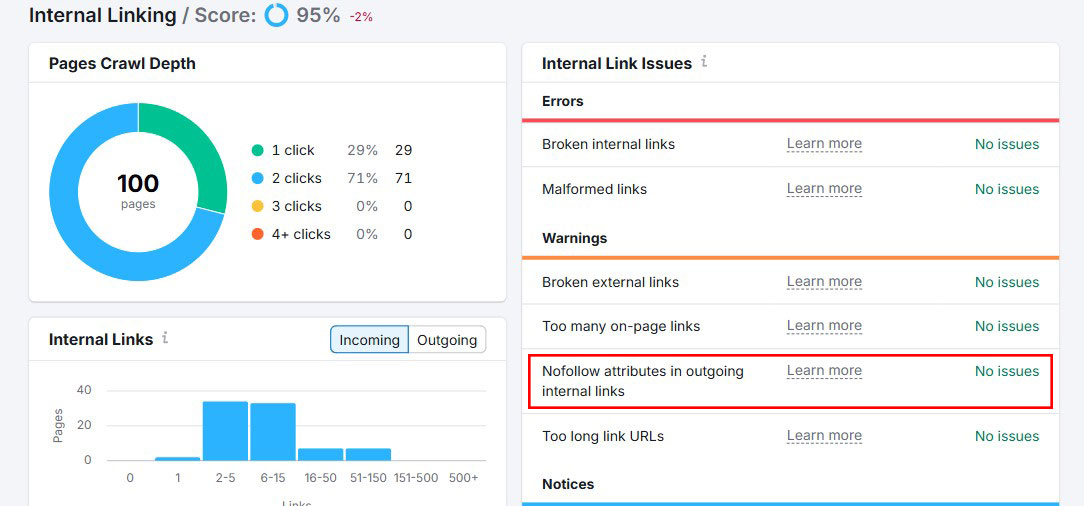
With Semrush, you can easily find the internal linking “nofollow” attribute under the “Warnings” section.
3. Fix Orphaned Pages
An orphaned page is a page on your website that has no internal links pointing to it. Since Google discovers new content by following links, these pages are difficult for crawlers to find. If Google can’t reach them, they won’t get indexed and won’t appear in search results.
If you use Semrush, you can spot “Orphaned sitemap pages” in the Notices section of your Internal Linking report.
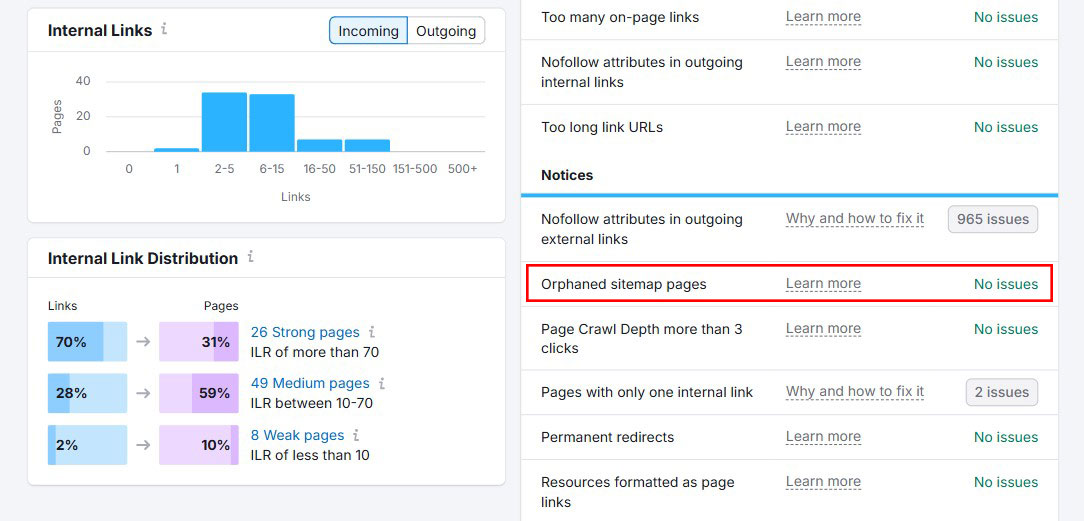
To fix the issue, add links to each orphaned page from another page that’s already part of your site structure. Be sure the linking page is not orphaned itself, or the problem will persist.
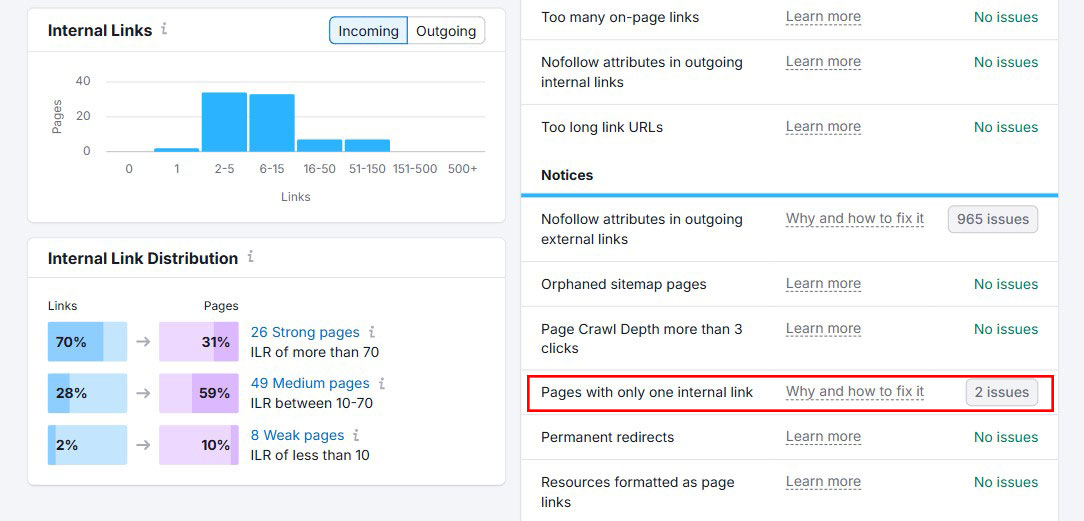
4. Pages with Only One Incoming Internal Link
Internal links show search engines which pages matter most. A page with many internal links is easier to find and more likely to rank well. On the other hand, a page with just one internal link is harder to discover and may appear less valuable to search engines.
To fix this, use the Semrush Site Audit tool to spot pages with only a single link. Next, look for relevant content across your site and add new internal links pointing to those underlinked pages.
5. Crawl Depth of More Than Three Clicks
Crawl depth refers to the number of clicks it takes to get from your homepage to a specific page. The more clicks required, the less important that page may appear to search engines. Google has noted that pages closer to the homepage—those with fewer clicks—often rank higher.
When running a Semrush Site Audit, check the Internal Linking report. Look for pages flagged with “Page Crawl Depth more than 3 clicks.”
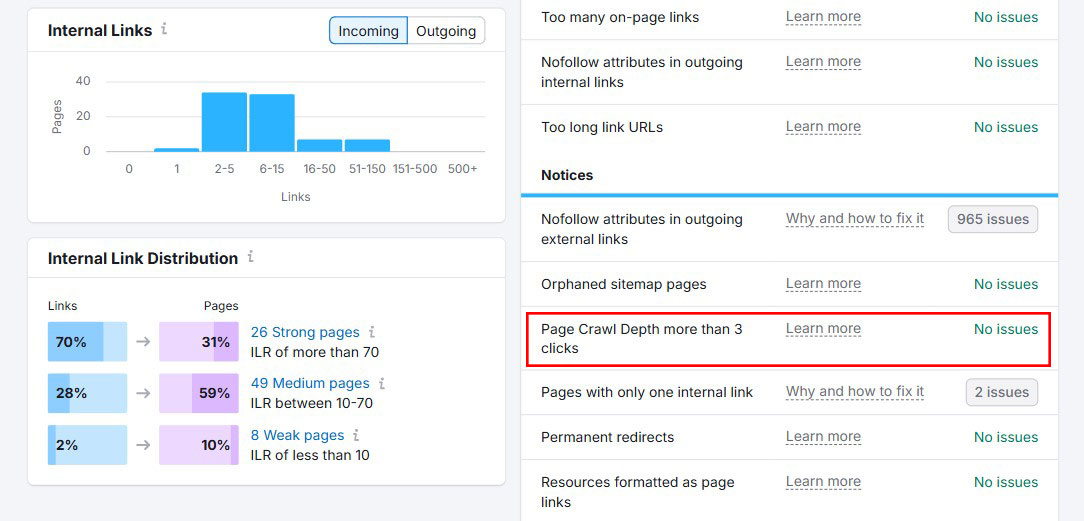
To fix this, add direct links to those deeper pages. Ideally, link from pages that are just one click away from your homepage. This adjustment makes it easier for both users and search engines to find and index important content.
6. Fix Links Pointing to Internal Redirects
Internal links that point to redirected URLs can waste your crawl budget. Google only crawls a set number of pages during a specific time range. If other pages on your website still link to an outdated URL, users will click it and then get redirected. That extra step isn’t needed.
Redirects also slow down page loading, which negatively impacts both user experience and PageSpeed scores. A practical solution is to use a tool like Semrush to find and fix internal redirects.
Internal Linking Best Practices for SEO
To get the most out of your internal link-building efforts, try following these SEO best practices.
1. Focus on the Position of Internal Links
Contextual internal links should be relevant to the content. They also need to be placed strategically, not just anywhere in the text.
For example, avoid adding call-to-action (CTA) links at the very beginning of an article. First, address your audience’s pain points or introduce your product before directing them to take action.
Spread internal links evenly across the article instead of clustering them together. This prevents readers from feeling overwhelmed and helps maintain a natural flow. A balanced approach improves readability and creates a better user experience, which is also beneficial for SEO.
2. Avoid Using Many Links Per Post
Google hasn’t given a specific number for how many links are ideal on a page. They also don’t define what would be considered “spammy.” However, their SEO guidelines do caution against overloading a page with links.

The best practice is to link only to the most relevant pages—ones that actually add value for users.
3. Avoid Keyword Stuffing in Anchor Texts
Keyword stuffing happens when keywords are used too often on a page or in anchor text. They’re often added in a way that doesn’t feel natural or fit the context.
It’s smart to optimize anchor text for internal links. But avoid repeating the same keywords too many times.
Google considers keyword stuffing a spammy tactic. It doesn’t help readers and can even hurt your site.
4. Don’t Link to HTTP Pages
Google has long encouraged website owners to secure their sites with HTTPS encryption.
As many sites move from HTTP to HTTPS, some internal links may still direct users to outdated HTTP pages.
These links should be updated to point to the secure HTTPS versions. Otherwise, they can trigger unnecessary redirects, confuse crawlers, and even put user security at risk.
Internal Linking Tools to Make the Job Easier
Manually managing internal links can take a lot of time. This is especially true if you’re handling a large website or an archive full of older content.
The good news is that you don’t have to do it all on your own. Several tools are built to make the process easier. They can help you spot linking opportunities, repair broken links, and strengthen your site’s overall structure.
Below are some of the most reliable options.
WordPress Internal Linking Plugins
Link Whisper is a WordPress plugin built for internal linking. It uses AI to suggest anchor text and highlight linking opportunities as you write.
It also provides detailed reports, showing which pages don’t have enough links and which ones might have too many.
The best part? It’s perfect for quickly strengthening orphaned content.
Learn more in our complete Link Whisper review.

All in One SEO (AIOSEO) is one of the top SEO plugins for WordPress. It includes a powerful tool called the Link Assistant, which makes it simple to improve your internal linking.
The plugin automatically scans all the links on your WordPress site and generates a detailed Link Report. In this report, you can view the number of internal links, outbound links, and affiliate links for each post.
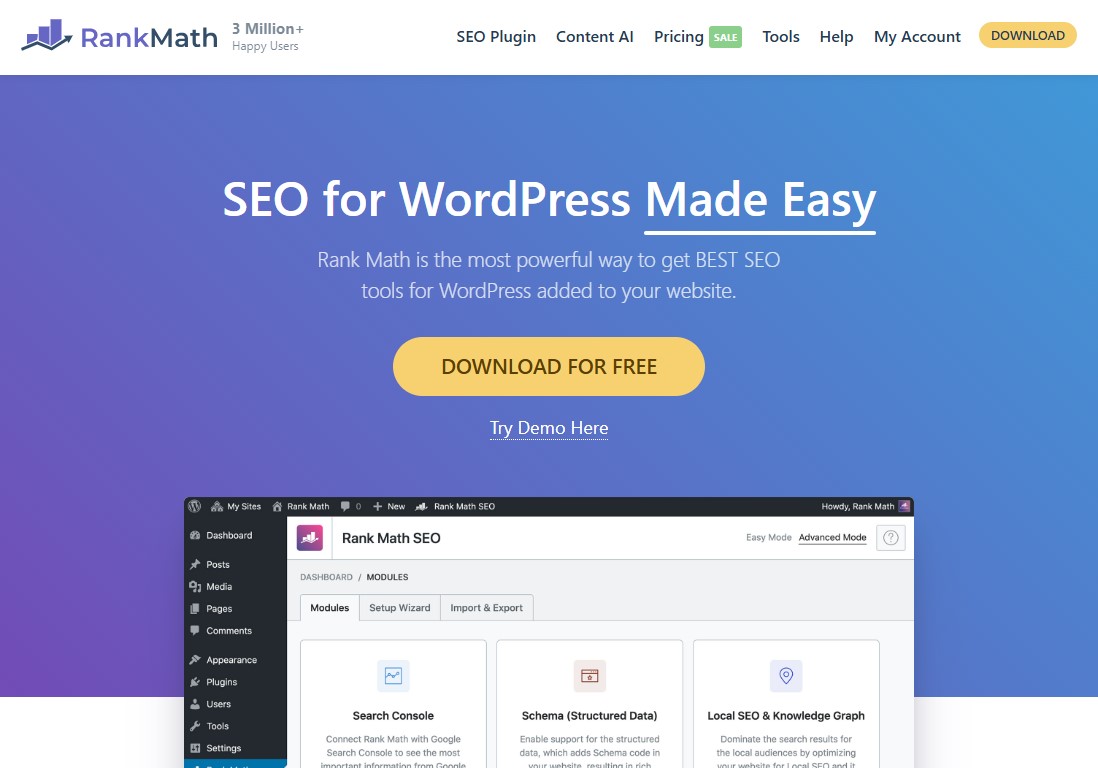
Rank Math is another WordPress SEO plugin. It offers essential features designed to strengthen your internal link-building strategy.
Similar to AIOSEO, the plugin scans your website for existing links. As you create content in the WordPress editor, it suggests internal linking opportunities to help improve your site’s structure.
Learn more in our complete Rank Math review.
Internal Linking SEO Tool

Semrush is one of the top SEO tools available. Its Site Audit feature includes a built-in internal linking report. This report points out issues like broken internal links, too many redirects, and pages with weak link distribution.
What makes it even more valuable is its integration with the full Semrush toolkit. Together, these features give you a clear view of your site’s overall health and SEO opportunities.
Learn more in our complete Semrush review.
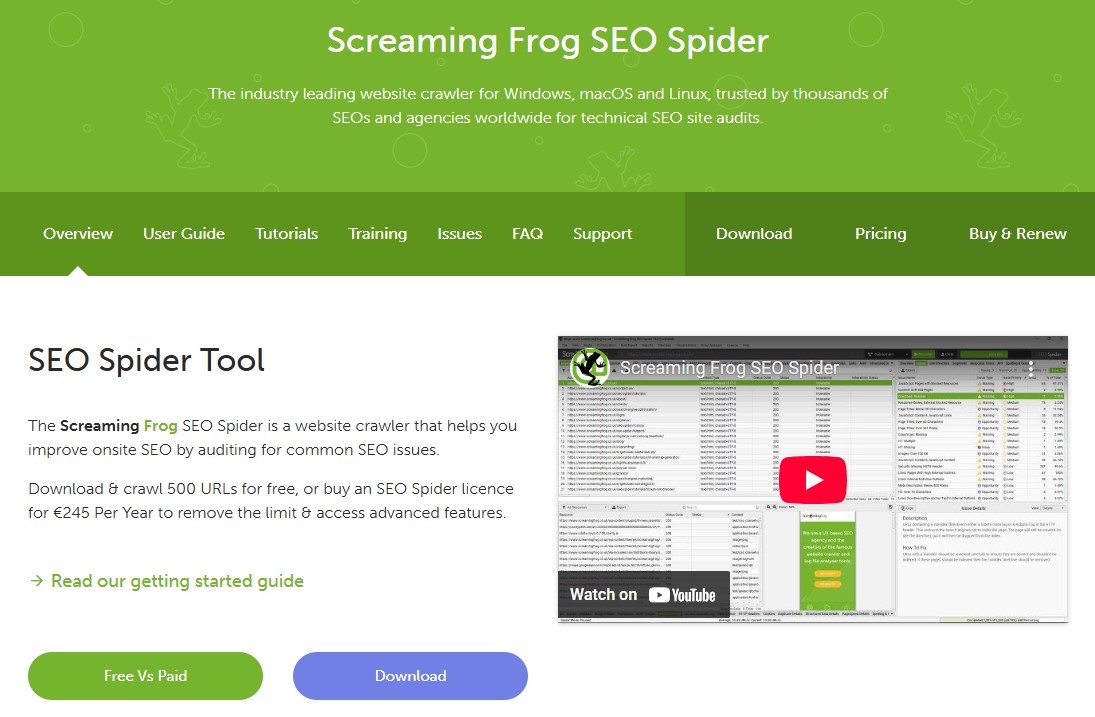
For anyone serious about technical SEO, Screaming Frog is a must-have. It’s a free SEO tool that crawls your entire website and provides a detailed overview of your internal linking setup. You can quickly see which pages have too few internal links, identify redirect chains, and even export data for deeper analysis.

Ahrefs isn’t just for backlink analysis. It’s also a powerful tool for improving internal linking. With the Site Audit feature, you can spot pages that don’t have enough internal links, identify redirect chains, and check how link equity flows through your site.
The “Best by Links” report is especially useful. It helps you find your strongest pages so you can pass authority to newer or weaker ones.
Conclusion: Strengthen Your SEO with Smart Internal Linking
Internal linking isn’t just a technical SEO tactic. It’s one of the most powerful ways to improve rankings, enhance user experience, and get more out of your content. When you connect your pages with intention, you create clear pathways for both visitors and search engines.
Strategic linking helps distribute authority across your site. It highlights your most valuable pages and keeps readers engaged for longer. The payoff is greater visibility, stronger rankings, and more chances to convert visitors into customers.
Start with a solid site structure. Build topic clusters, use authority pages wisely, and make sure each link adds real value. As you go, watch out for broken links, redirects, and orphaned pages so your site stays healthy.
The best part is you don’t have to do it all manually. With the help of SEO tools or WordPress plugins, you can streamline the process and uncover opportunities you might otherwise miss.
- The Only On-Page SEO Checklist You’ll Need
- 8 Best Free Google SEO Tools You Must Try Now
- 10 Best AI SEO Tools With Their Top Features
Lastly, follow us on Facebook and X (formerly Twitter) to stay updated on the latest WordPress and blogging-related articles.
Frequently Asked Questions
What Are Internal Links and Why Do They Matter?Internal links are hyperlinks between pages on the same website. They help users navigate, guide search engine crawlers, reveal your site’s structure, and distribute authority across content.
Internal links are hyperlinks between pages on the same website. They help users navigate, guide search engine crawlers, reveal your site’s structure, and distribute authority across content.
How Many Internal Links Per Page is Optimal?There’s no fixed number, but you should use only as many natural, contextually relevant links as make sense. Avoid overloading pages—too many dilute link value and hinder readability.
There’s no fixed number, but you should use only as many natural, contextually relevant links as make sense. Avoid overloading pages—too many dilute link value and hinder readability.
How Do Internal Links Benefit SEO?Internal links improve crawlability, help search engines index pages more effectively, provide context via anchor text, and pass ranking power (or “link juice”) from strong pages to others.
Internal links improve crawlability, help search engines index pages more effectively, provide context via anchor text, and pass ranking power (or “link juice”) from strong pages to others.
What Makes Good Anchor Text for Internal Links?Anchor text should be informative, concise, and contextually relevant—avoid generic phrases like “click here” for better user clarity and SEO value.
Anchor text should be informative, concise, and contextually relevant—avoid generic phrases like “click here” for better user clarity and SEO value.
What is Contextual Internal Linking?Contextual links are embedded within the content naturally. These enhance user experience, signal relevance, and are highly valued by search engines.
Contextual links are embedded within the content naturally. These enhance user experience, signal relevance, and are highly valued by search engines.
