29 January 2026
10 Best WordPress Landing Page Plugins Compared (2026)
Looking for the best WordPress landing page builders to create a high-converting website? If yes, your needs end here.
In this article, we break down the 10 best WordPress landing page plugins for 2026. No fluff, no hype, just real features and pros & cons.
Whether you want more leads, more sales, or faster page builds, you’ll find the perfect tool here.
Let’s dive in and find the WordPress plugins that turn visitors into leads.
What is a Landing Page?
A landing page is a focused web page built for one clear goal: turning visitors into leads or customers. Instead of offering multiple links or distractions, it keeps attention locked on a single action you want people to take.
Think of it as your sales funnel compressed into one simple, powerful page. Its job is to guide visitors toward a specific outcome, like:
- Signing up for your newsletter
- Downloading an ebook
- Registering for a webinar
- Buying a product
- Booking a consultation
A high-converting landing page removes anything that doesn’t serve that goal. No clutter. No confusing menus. Just a clean, intentional path that makes the next step feel easy and natural.
Here are some WordPress landing page examples for reference, if you want to check them out.
What’s the Difference Between a Homepage and a Landing Page?
Your homepage is the front door to your brand. It’s where people get their first impression. They learn what you offer, who it’s for, and how to get in touch. Most importantly, it invites them to look around and explore what else you have.
That’s great for building awareness. But it’s not ideal when you want someone to do one very specific thing.
This is where landing pages shine.
A landing page doesn’t try to explain everything about your brand. It has a single job. It guides visitors toward a single clear action, such as buying a product, signing up for a newsletter, or filling out a form.
To make that happen, landing pages cut out the noise. Your homepage is full of links that lead to different parts of your site, and that’s a good thing. It helps people discover more about you.
A landing page works the opposite way. It removes most of those links. Fewer options mean fewer distractions, which makes it easier for visitors to focus and take the action you want.
Why Should You Use a Landing Page Plugin for WordPress?
WordPress landing page plugins make it easy to build focused, high-converting pages without touching a line of code. They give you tools and templates that go far beyond what most standard themes offer. The goal is simple: help you launch marketing pages faster and turn more visitors into leads or customers.
Here are some key benefits of using a WordPress landing page builder:
- No Coding Needed: Most plugins use clean, drag-and-drop editors. You can design professional pages even if you’ve never written a single line of code.
- Built for Conversions: These pages remove distractions like menus and sidebars. That keeps your visitors’ attention on one clear action, whether that’s signing up for a newsletter or buying a product.
- Fast to Launch: You get access to a large library of ready-made templates that are already designed to convert. Customize one, hit publish, and your campaign can be live in minutes.
- Marketing Tools Included: Many plugins come with built-in features for lead generation, countdown timers, and testimonial sections. These elements help build trust and encourage people to take action.
- A/B Testing and Insights: Advanced tools let you test different versions of a page and track how each one performs. This makes it easier to improve results based on real data rather than guesswork.
- Mobile-Friendly by Default: Pages automatically adjust to look and work great on phones, tablets, and desktops. That means every visitor gets a smooth experience, no matter what device they use.
10 Best WordPress Landing Page Plugins
Below is the list of the best landing page plugins for WordPress:
1. SeedProd
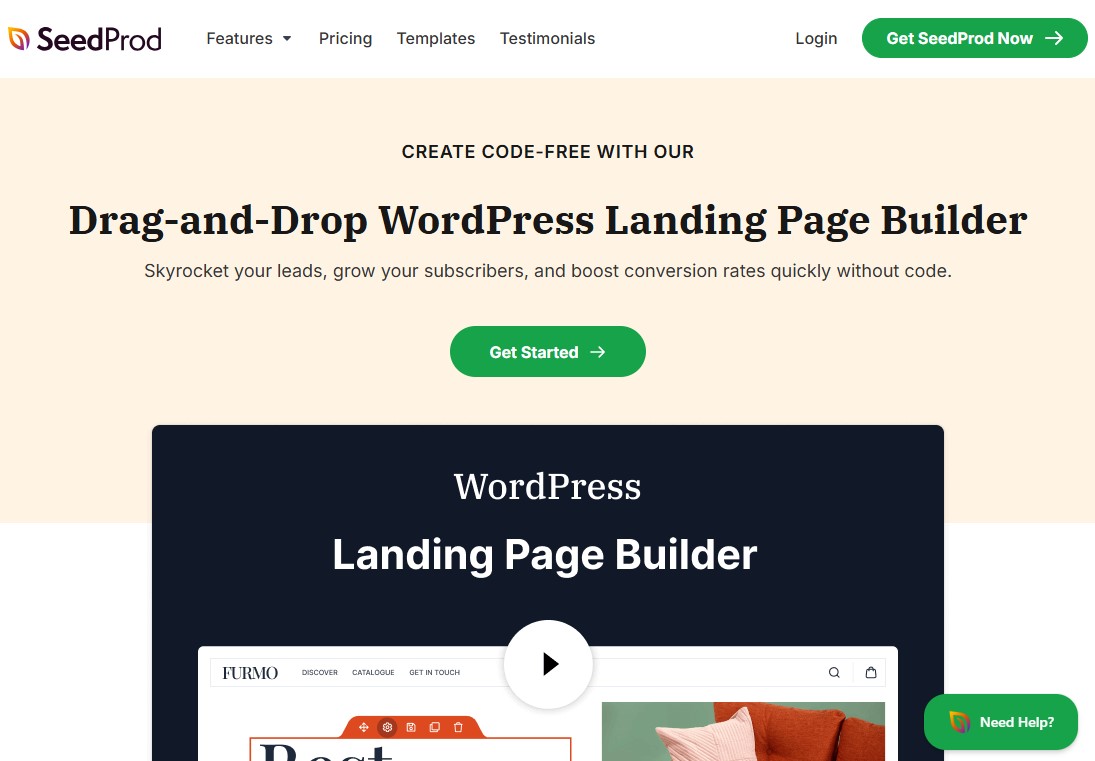
SeedProd is a go-to landing page plugin for WordPress, and for good reason. It’s easy to use, packed with smart features, and takes the stress out of building pages. Whether you need a sales page, a squeeze page, or even a custom 404 page, it gets the job done fast.
The real highlight is its drag-and-drop page builder. You can move things around, tweak layouts, and see changes instantly, all without touching a single line of code.
No CSS skills? You won’t miss them.
You can create stunning WordPress themes and landing pages in minutes, even if design isn’t your strong suit. The theme builder, in particular, is a lifesaver for anyone who’d rather focus on content than code.
SeedProd also includes a robust library of landing page templates and starter themes. These give you a strong starting point rather than a blank screen, making the whole process feel much less intimidating.
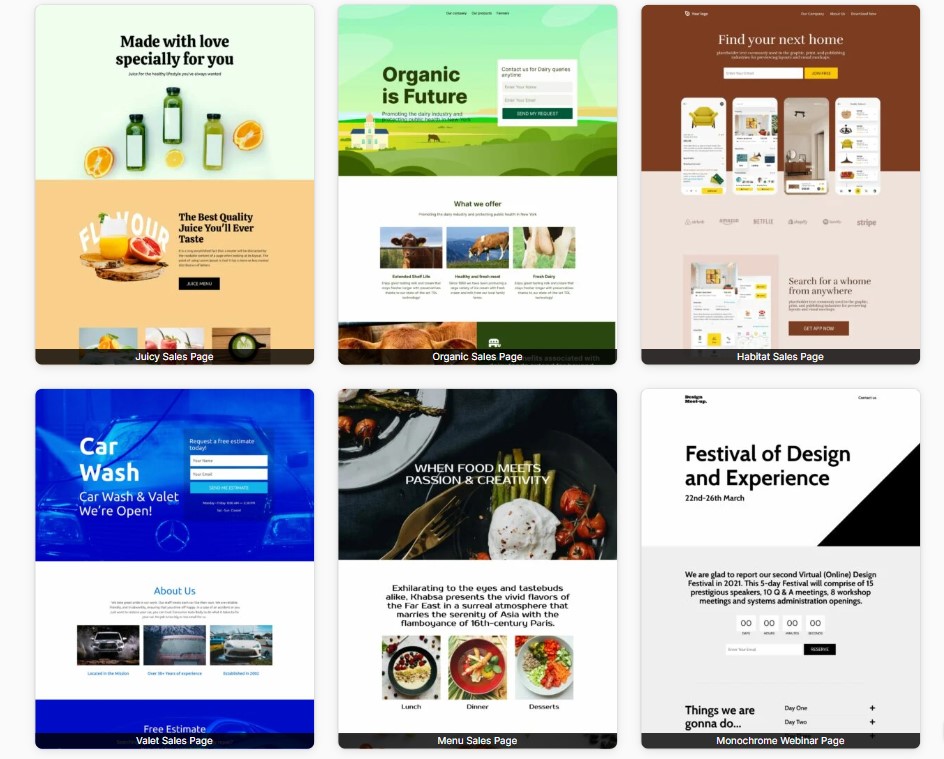
With a few clicks, you can spin up a clean webinar sign-up page, a maintenance mode screen, a high-converting sales page, and more.
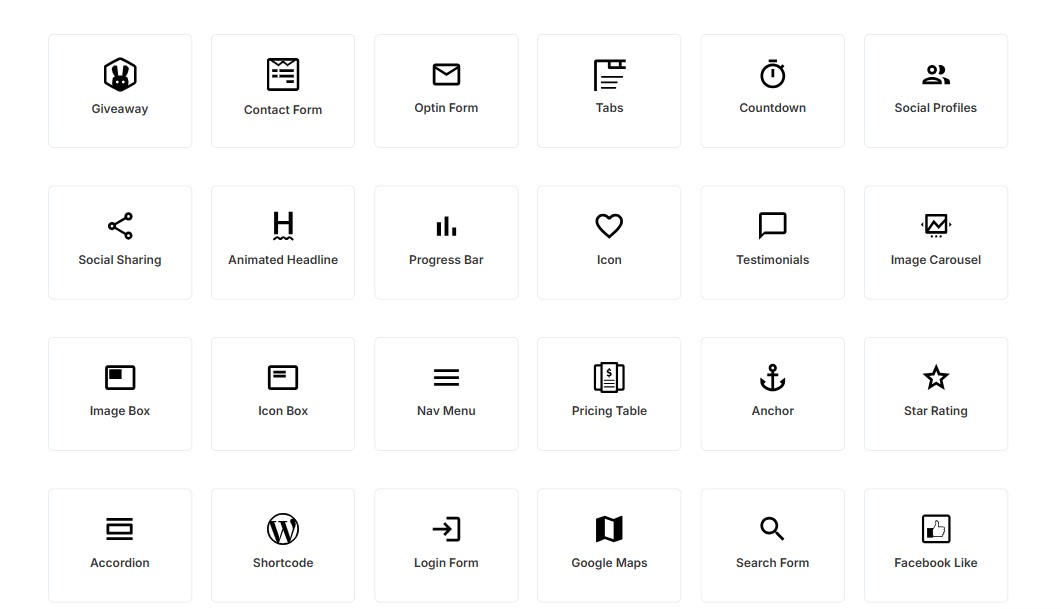
On top of that, you get access to over 90 conversion-focused page blocks. Think countdown timers, animated number counters, and rotating testimonials. These small touches can make a big difference when it comes to keeping visitors engaged.
The built-in AI tools are another nice bonus. The content generator helps you write copy in different tones and languages, while the image generator saves time by creating unique visuals on the spot.
The standout feature, though, is the AI-powered landing page builder. It can put together a full, custom page in under a minute, complete with images and optimized text, which feels almost like cheating.
When it comes to marketing, SeedProd plays well with others. It integrates seamlessly with email marketing services such as Drip, Constant Contact, and Mailchimp. Zapier support also means you can connect it to just about any marketing tool you already use. Growing your email list becomes a lot simpler.
Pricing:
A free version is available that’s perfect for simple maintenance or coming-soon pages. The paid plans start at $39.50 per year.
Best For:
SeedProd is a great choice for anyone looking for an easy-to-use, drag-and-drop landing page builder with powerful lead-generation features.
Get Started with SeedProd Today
2. Thrive Architect

Thrive Architect by Thrive Themes is a strong contender if you’re looking for a WordPress landing page plugin that also plays nicely with a full theme setup.
Its main focus is conversions, and that shows. You get access to a large library of ready-made templates and blocks built specifically to turn visitors into leads or customers.
What stood out to us right away was the sheer volume of templates. With more than 350+ smart and legacy landing page designs, you’re rarely starting from scratch.
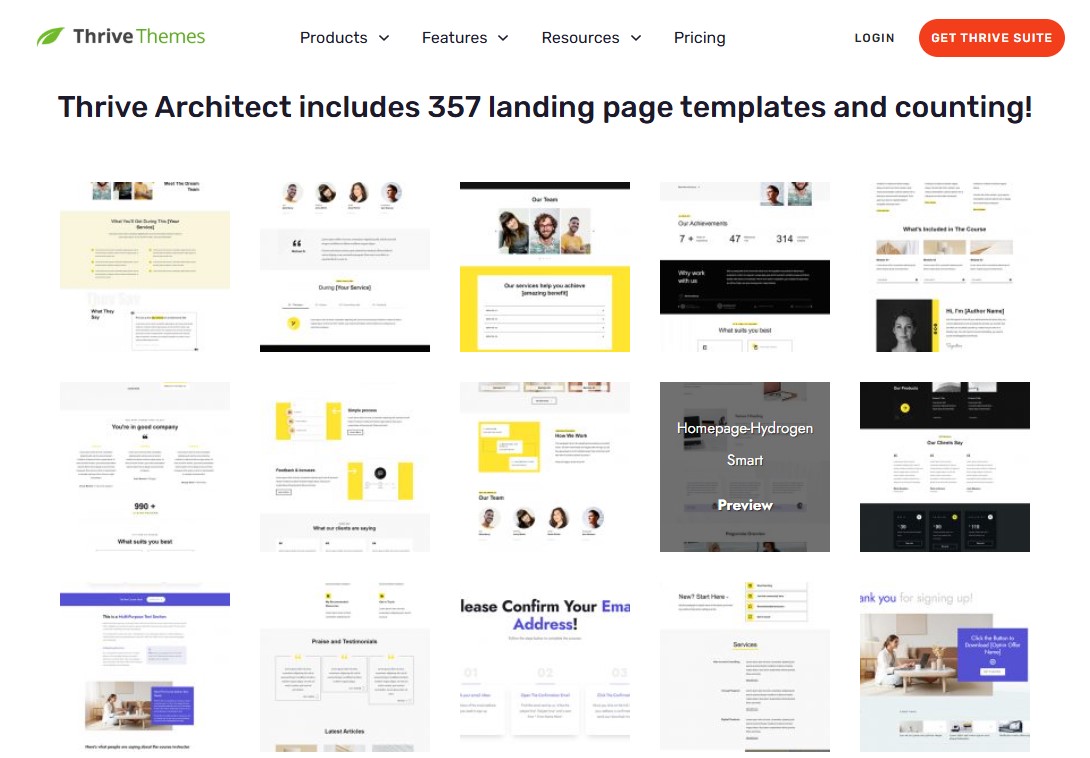
Even better, most templates come with variations for different types of businesses. Whether you’re building a page for a local shop, a consultant, or a service-based brand, you’ll find layouts that fit your goals.
The conversion-focused blocks are another highlight. Adding elements like opt-in forms, pricing tables, and call-to-action sections takes just a few clicks, making it easy to fine-tune your pages for better results.
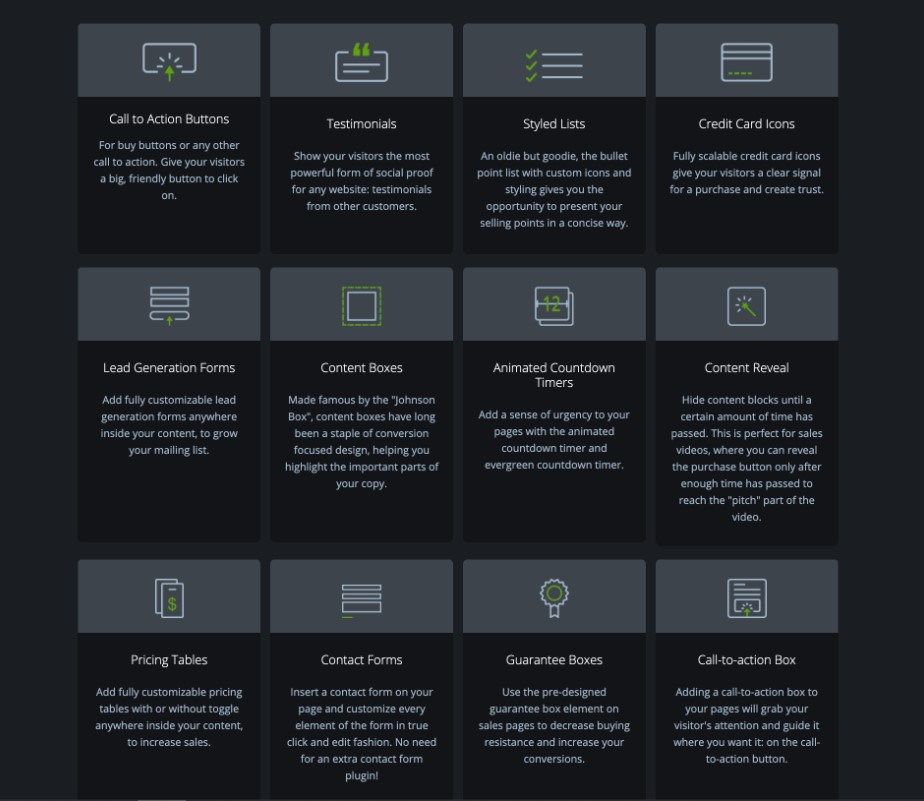
We also found the dynamic text feature surprisingly helpful. It pulls data directly from your WordPress site, so your pages stay up to date without you having to edit the same details over and over.
The Thrive Lightbox tool is a nice extra. You can create popups that trigger based on user behavior, which works well for capturing leads at the right moment.
Thrive also integrates smoothly with the most popular email marketing and CRM platforms. On top of that, it’s part of the larger Thrive Suite. If you go for the full package, you get tools for quizzes, testimonials, comments, and popups that all work together without clashing or causing plugin issues.
One drawback is that there’s no free version to test before you buy, which might be a deal-breaker for some users.
Pricing:
Thrive Architect costs $99 per year. However, we recommend considering the Thrive Suite at $299 per year, which includes Thrive Leads for lead generation and Thrive Optimize for A/B testing.
If your main goal is A/B testing landing pages, there’s a more targeted option. The Thrive Architect + Thrive Optimize bundle costs $199 per year and works well if you don’t need the full suite.
Best For:
Thrive Architect is a solid choice if your goal is to boost conversions and build high-performing marketing pages without fighting your tools along the way.
Get Started with Thrive Architect Today
3. Elementor

Elementor is everywhere, and for good reason. It’s one of the most flexible WordPress landing page builders out there, especially for businesses that care about strong branding and full design control.
The live drag-and-drop editor feels fast and intuitive. You can adjust every part of your page right on the screen. Fonts, spacing, buttons, and colors all update in real time, so you always know exactly how things will look.
The template library is another strong point. With more than 300 ready-made designs, you can build anything from simple lead pages to full sales funnels and complete website kits without starting from scratch.

Elementor also comes with a built-in form builder and a popup tool, which covers most basic marketing needs. That said, it doesn’t offer native A/B testing. To run experiments, you’ll need a third-party add-on or an external testing platform.
The main downside is performance. Pages built with Elementor tend to be heavier. Load times can be slower, and that usually shows up in lower Core Web Vitals scores.
Pricing:
A free version is available that’s perfect for beginners. The paid plans start at $60 per year.
Best For:
Elementor is a great fit for designers, freelancers, and agencies who value creative freedom and getting projects done quickly.
Get Started with Elementor Today
4. Beaver Builder

Beaver Builder is a drag-and-drop WordPress page builder plugin that makes creating landing pages feel simple and intuitive.
With its front-end visual editor, you can design clean, professional layouts without jumping through hoops. Everything feels smooth and responsive, and you won’t find yourself waiting around while pages save or refresh.
You can easily add opt-in forms, contact sections, pricing tables, and other elements built to drive conversions.
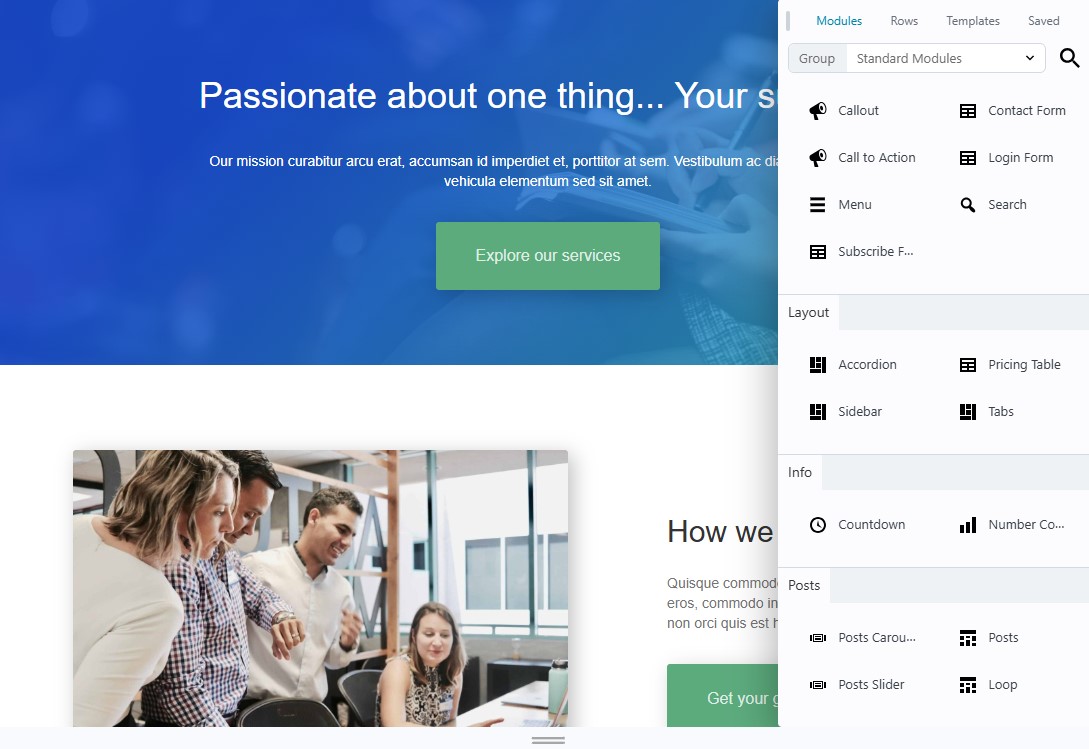
Other than that, the tool gives you access to more than 170 dedicated landing page templates. They cover a wide range of industries and use cases, so you can quickly find a design that fits your site and feels right for your audience.
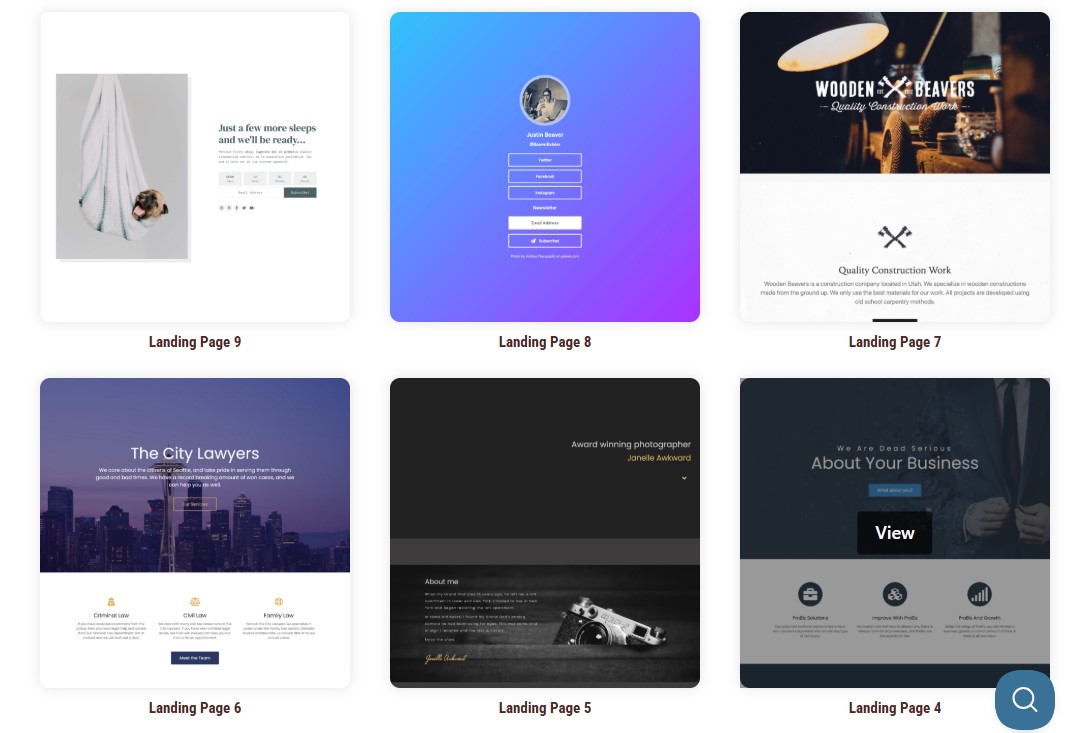
Where Beaver Builder really shines is in its simplicity and strong compatibility with most WordPress themes. The interface is easy to pick up, even if you’re new to page builders. And if you ever decide to stop using the plugin, your content stays intact in the standard WordPress editor instead of breaking apart.
Performance is another clear win. Pages load fast without needing extra tweaks or heavy optimization, which is a nice change from some of the bulkier builders on the market.
That said, you’ll start to notice limits when you try to go beyond basic designs. There’s no built-in support for multi-step or conditional forms. You won’t find a native popup builder either. Dynamic data features also feel more basic compared to more advanced, all-in-one page builders.
For straightforward landing pages, Beaver Builder is reliable and consistent. If you’re running complex campaigns, you may run into roadblocks.
Pricing:
Free version available with limited features. The paid plans start at $89 per year.
Best For:
It’s a great fit for agencies, developers, and seasoned freelancers who value clean workflows and stability over a long list of flashy features.
Get Started with Beaver Builder Today
5. Divi

Divi is one of the most popular page builders in the WordPress world, and for good reason. It comes packed with tools that make building high-converting landing pages feel smooth and flexible. The combination of powerful theme settings and deep customization gives you real control over how your site looks and performs.
What stands out most is how many ways Divi lets you work. If you like designing every detail yourself, you’ll feel right at home. If you’d rather move faster, the built-in AI can help you spin up sections or even entire layouts from a simple prompt.
With over 370 layout packs, there’s no shortage of starting points. These packs cover a wide range of industries and use cases. Each one includes multiple page types, which means you’re actually getting hundreds of ready-to-use templates.

The AI tools genuinely save time. We were especially impressed by the section generator. You can describe what you need, and Divi will build a complete section for you in seconds.
Divi also plays nicely with popular email marketing platforms. You can connect your landing pages to services like ActiveCampaign and HubSpot to start capturing and nurturing leads right away.
On the optimization side, Divi gives you solid tools to improve performance. You can run A/B tests, track how visitors interact with your pages, and use built-in forms to turn traffic into subscribers or customers.

That said, there is a learning curve. It can take longer to get comfortable with Divi compared to simpler builders like Beaver Builder or Elementor.
Because Divi works as both a theme and a builder, it can also add more weight to your site than some lightweight plugin-only options.
Pricing:
Divi’s pricing starts at $89 a year. If you want access to Divi AI, you’ll need the Divi Pro plan, which costs $277 annually.
Prefer a one-time payment? Divi also offers lifetime options. The basic plan is $249, while Divi Pro with AI is $297.
Best For:
Divi Builder is ideal for WordPress users requiring rapid prototyping, built-in A/B testing (Divi Leads) for marketing optimization, and extensive design flexibility.
6. OptimizePress
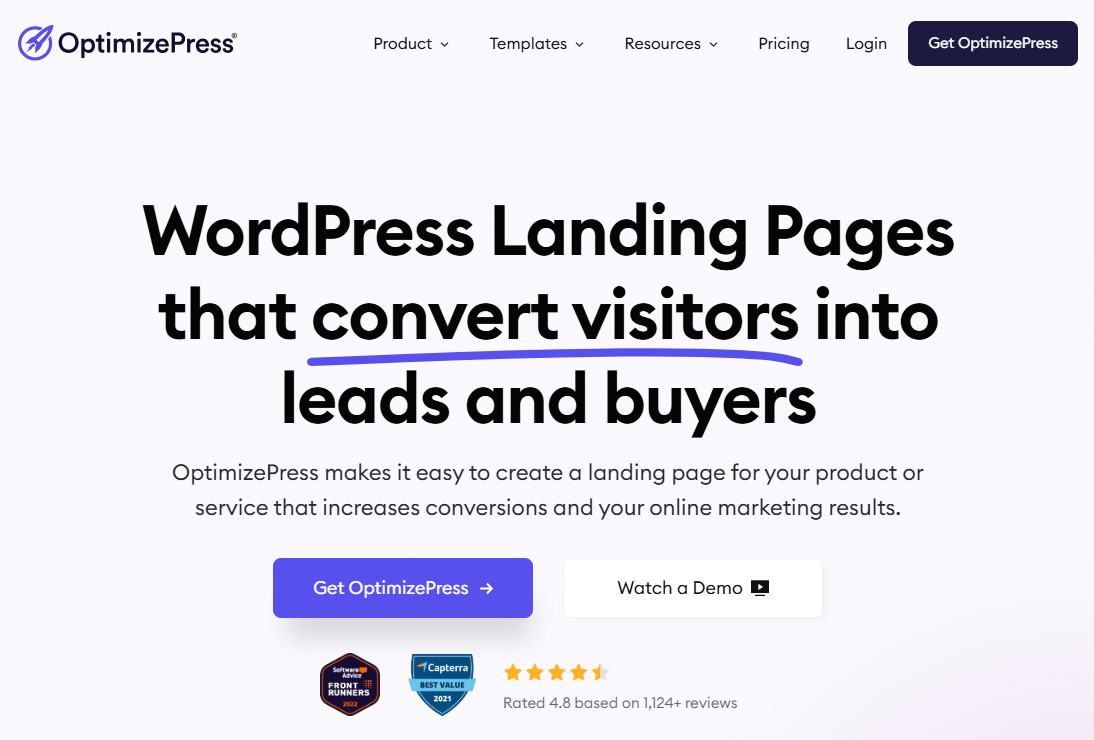
OptimizePress is one of those WordPress landing page plugins that can run your entire sales funnel from start to finish. It’s built with one clear goal in mind: helping you create marketing pages that actually convert visitors into leads, customers, and email subscribers.
One of its biggest strengths is the template library. You get access to more than 400 conversion-focused designs, including sales pages, lead capture forms, waitlist pages, and online course layouts. Every template is fully customizable through a drag-and-drop editor, so you can shape each page to match your brand without touching a line of code.
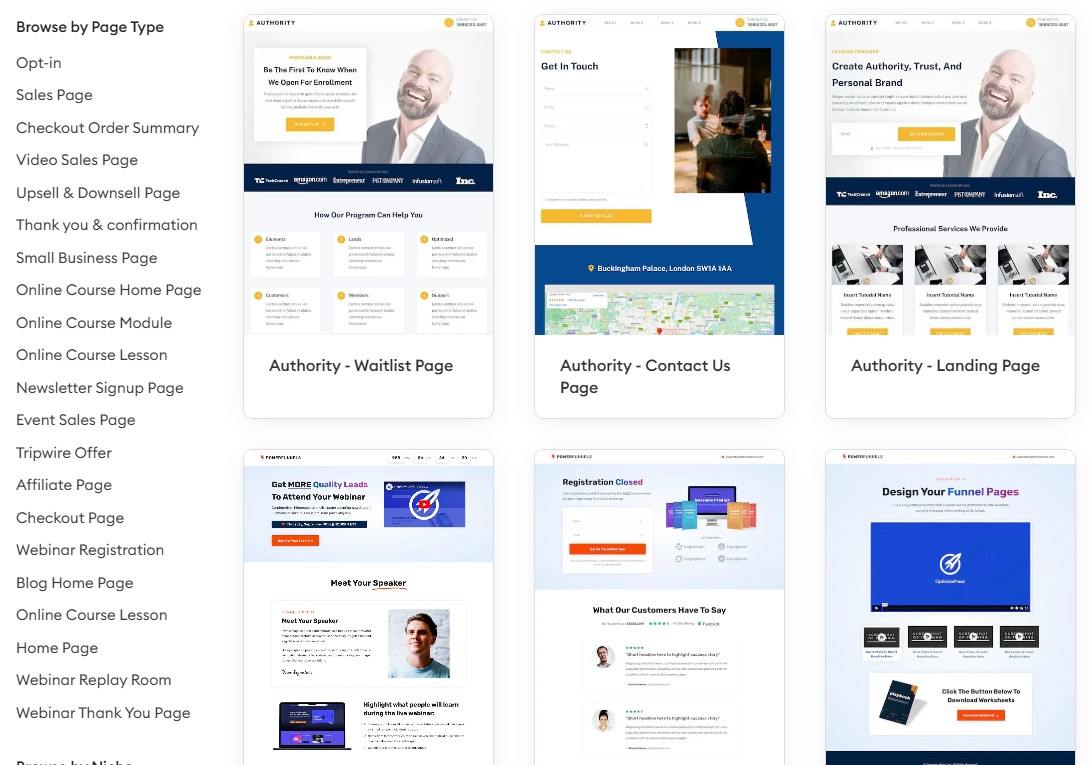
The editor itself uses a row-and-column system, which strikes a nice balance between freedom and structure. You can resize sections, adjust spacing, and fine-tune layouts with precision, making it easy to get a clean, professional look.
What really stood out to us was OptimizeFunnels. This feature lets you build full sales funnels with upsells and downsells, all inside the same platform. It’s a solid way to guide visitors through your offers and boost overall conversions without relying on extra tools.
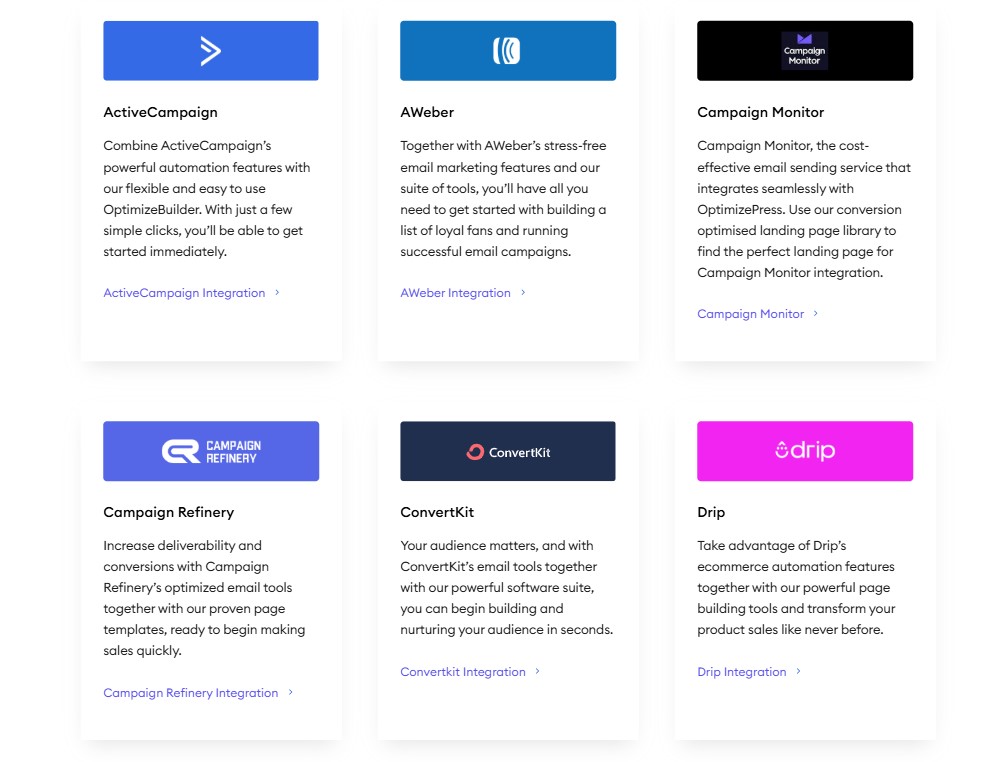
OptimizePress also plays well with others. It connects to more than 50 marketing and payment gateways, helping keep your marketing and sales workflows running smoothly.
That said, it’s more expensive than many other WordPress landing page builder plugins we’ve tried. The value becomes clearer on the upper-tier plans, where you unlock features like the funnel builder, live social proof notifications, and built-in payment options.
Pricing:
OptimizePress plans start at $129 per year.
Best For:
OptimizePress is a good fit if you want to build simple, effective sales funnels and prefer templates and checkout features that are ready to go, with minimal setup.
Get Started with OptimizePress Today
7. Landingi

Landingi is a cloud-based landing page platform that integrates seamlessly with WordPress via its plugin. It’s a solid choice if you want more than just a basic page builder and need a full marketing toolkit in one place.
From our experience, Landingi is easy to pick up, even if you’re new to building landing pages. The drag-and-drop editor feels natural, and the large template library helps you launch a page quickly without starting from scratch.
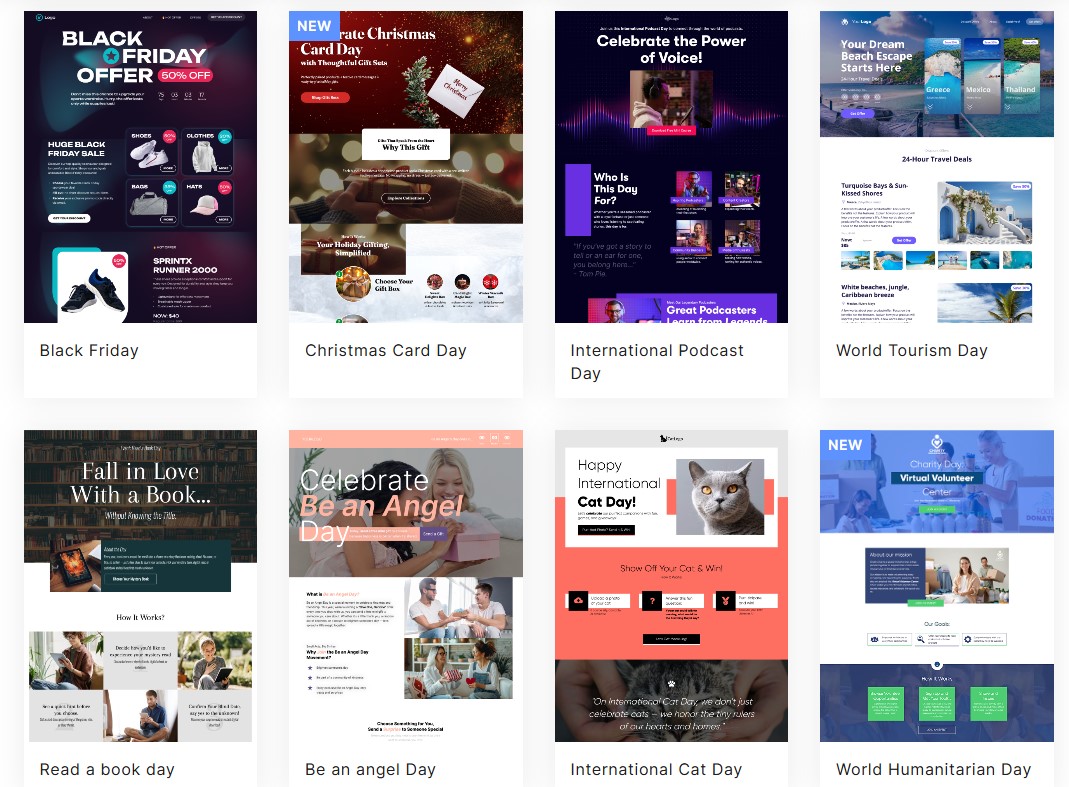
One standout feature is Landingi’s AI tools. They review your prompts and page content, then suggest ways to improve your copy and boost your SEO. The recommendations feel practical and tailored, not generic.
There’s also an EventTracker tool that monitors what visitors do on your pages. It shows you where people click, scroll, and drop off, so you can spot weak points and improve your conversions.
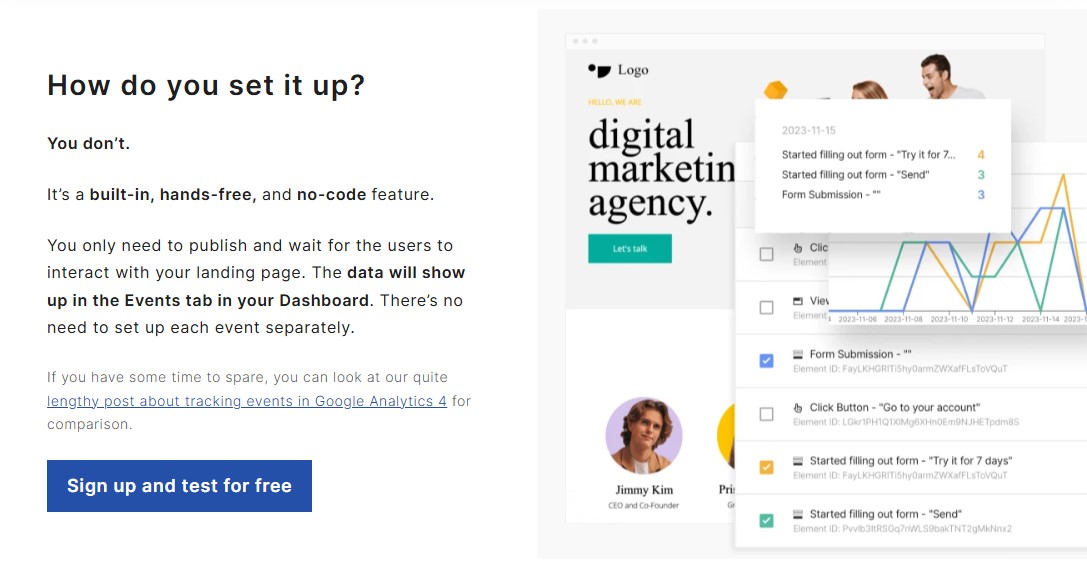
On top of that, Landingi includes A/B testing, built-in analytics, and smooth integrations with popular marketing platforms, making it a well-rounded option for growing and optimizing your campaigns.
Pricing:
Free plan available. The paid plans start at $24 per month with a 14-days free trial.
Best For:
Landingi is an excellent option if you’re looking for a comprehensive, cloud-based solution.
Get Started with Landingi Today
8. Breakdance
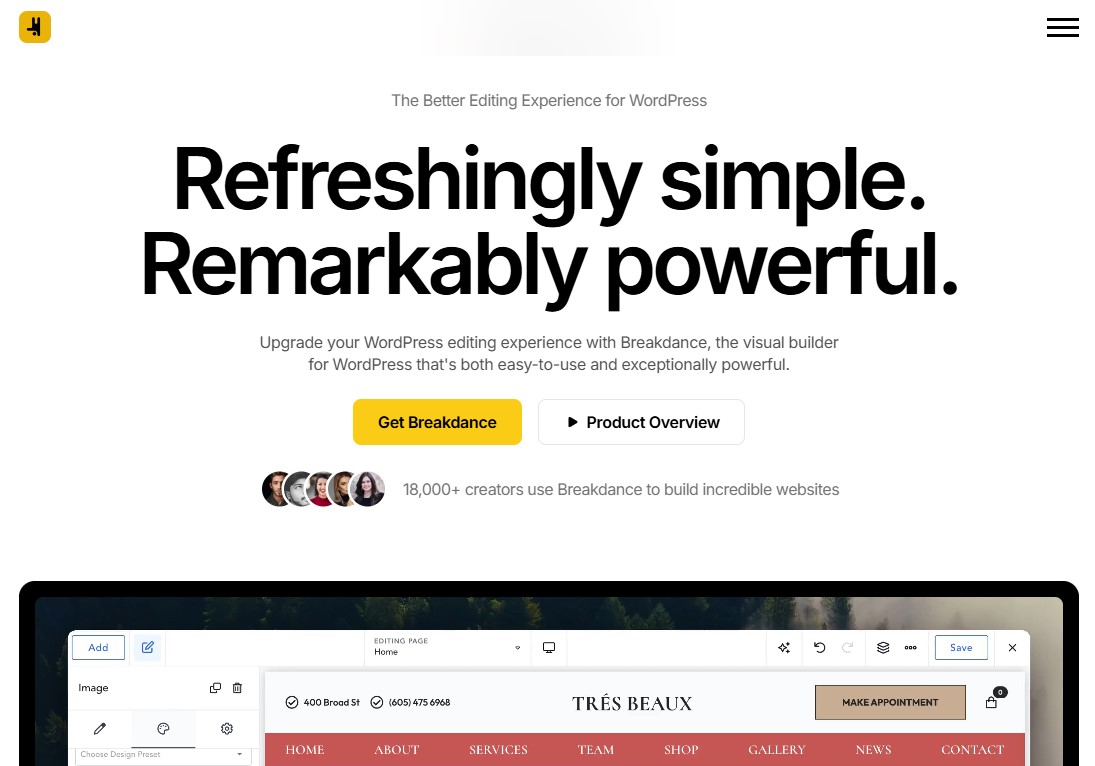
Breakdance is a modern WordPress landing page builder designed for speed and ease of use. From the moment you open it, everything feels clean, responsive, and well thought out. It blends a simple, intuitive interface with serious conversion tools, all wrapped in a lightweight codebase that doesn’t slow your site down. With over 130 built-in elements, you won’t find yourself hunting for extra plugins to add forms, popups, or email integrations.
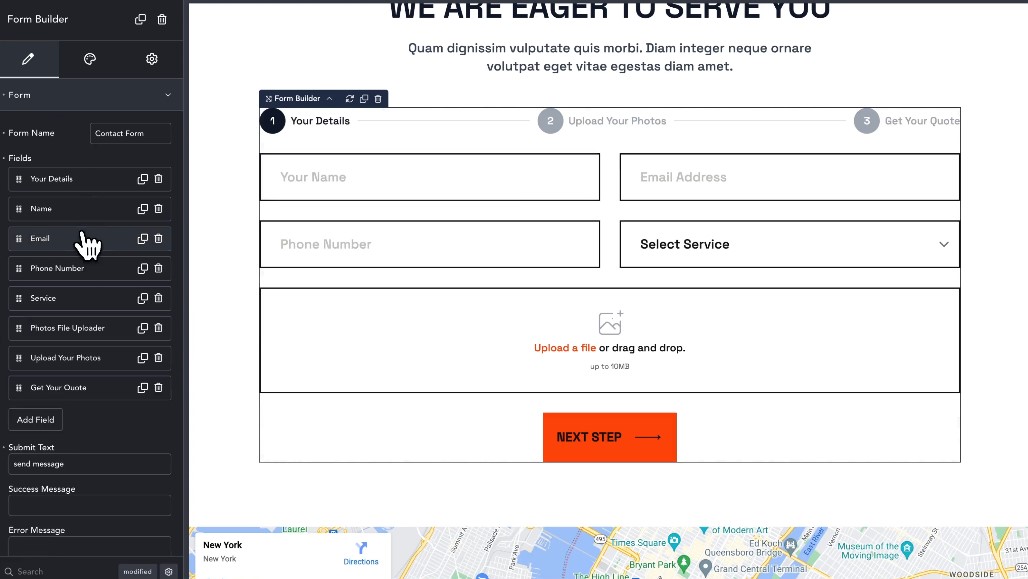
What we appreciated most is how well Breakdance balances power and simplicity. The form builder stood out right away. Creating multi-step forms felt natural, and setting up conditional logic was smooth and frustration-free. Connecting to Mailchimp and other platforms took only a few clicks, and everything worked as expected without any extra setup.
Speed is where Breakdance really shines. Pages load noticeably faster than many competing builders, even when they’re packed with design elements. The popup builder deserves a mention too. It feels just as polished as the main editor, with the same drag-and-drop flow that makes building feel effortless.
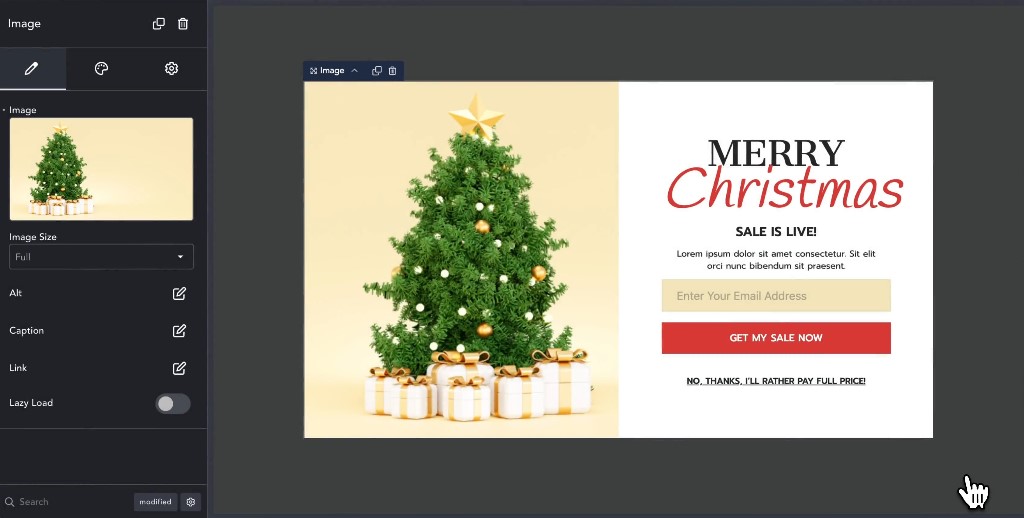
The biggest win is not needing a stack of extra plugins to create high-converting pages. Forms, popups, countdown timers, pricing tables, and email integrations all come built in. That keeps your WordPress setup clean, faster, and far less likely to run into compatibility issues down the road.
Pricing:
Free plan available with limited features. The paid plans start at $99.99 per year.
Best For:
Breakdance is an excellent option for anyone who values speed and wants a user-friendly visual site builder that is powerful enough to grow with them.
Get Started with Breakdance Today
9. PluginOps Landing Page Builder

PluginOps Landing Page Builder is a freemium WordPress plugin that gives you more control over how your landing pages look and feel. Unlike most page builders that have to work around your existing theme, PluginOps lets you create pages that stand on their own. You can skip your theme’s header, footer, and widget areas entirely.
That means you can design clean, focused landing pages without worrying about your theme getting in the way or breaking your layout.
We also noticed it includes built-in “coming soon” and maintenance mode pages. These are especially useful when you’re rolling out updates or preparing for a new launch.
On top of that, the plugin includes ready-made blocks for call-to-action buttons, opt-in forms, and customer reviews. You can drop these into your page in seconds, making high-converting layouts much faster and easier to build.
Pricing:
Free version available on WordPress.org. The paid plans start at $59 per year.
Best For:
PluginOps Landing Page Builder is perfect for marketers, business owners, or developers who need to create landing pages without code using a visual builder.
Get Started with PluginOps Today
10. LightStart
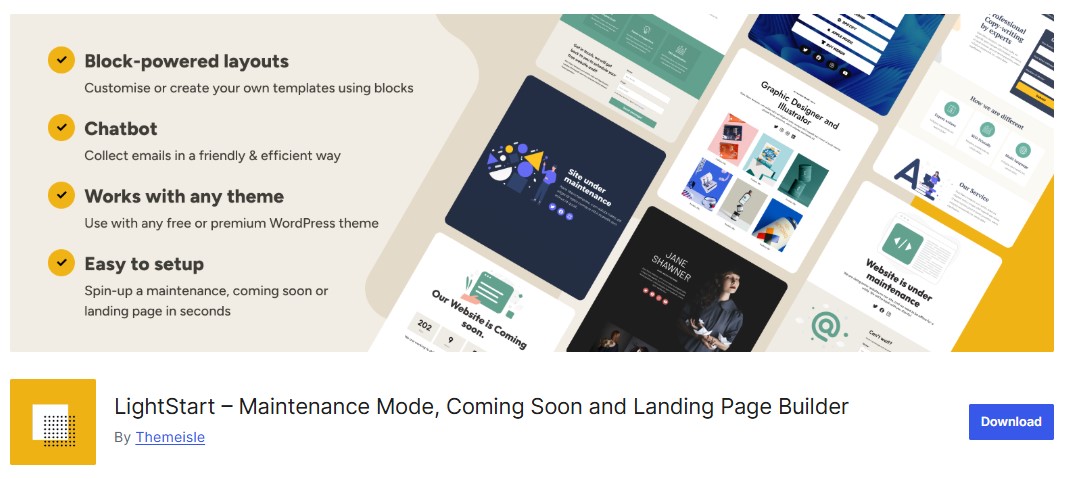
LightStart is a free WordPress landing page plugin from ThemeIsle. Instead of forcing you to start from scratch, it lets you turn any existing page into a landing page by applying one of its templates. From there, you can tweak everything using the familiar block editor.
One thing we really liked is how smoothly it works with other ThemeIsle tools. For example, its built-in support for Optimole helps in image optimization, which can improve landing page load times.
For a free plugin, the block selection is surprisingly solid. You get practical elements like subscription and contact forms right out of the box, making it easy to build pages that actually convert.
The GDPR-ready features are another plus. They give you a simple way to stay on the right side of data protection rules without adding extra plugins or workarounds.
The built-in chatbot stood out to us as well. You can map out simple conversation flows and add them to your landing page, which is a nice way to engage visitors and catch leads you might otherwise lose.
Just keep in mind that LightStart depends on the Otter Blocks plugin, so you’ll need that installed for everything to work properly.
That said, its template library is on the smaller side. If you’re someone who likes having a wide range of design styles to choose from, this could feel a bit limiting.
Pricing:
LightStart is a free WordPress plugin available on WordPress.org.
Best For:
LightStart is a decent option for users on a tight budget who want a set of features for creating simple landing pages, all for free.
Get Started with LightStart Today
Which Landing Page Plugin Should You Choose?
The best landing page plugin really comes down to what you need and how you plan to use it. We’ve spent time testing the most popular options out there, and based on that hands-on experience, here are the ones we recommend:
- Best For Beginners: SeedProd, Easy to use and tons of ready-made templates.
- Best For Marketers: Thrive Architect, Built for conversions with strong lead gen and testing tools.
- Best For Agencies: Beaver Builder, Stable, fast, and great for managing multiple client sites.
- Best For Developers: Breakdance, Lightweight, performance-focused, and highly customizable.
- Best For Sales Funnels: OptimizePress, a full funnel builder with upsells and checkout features.
- Best For Tight Budgets: LightStart, Free, simple, and solid for basic landing pages.
Final Thoughts: Best Landing Page Plugins
Choosing the right WordPress landing page plugin can make a real difference in how your website performs. The good news is that WordPress gives you plenty of strong options, no matter your skill level or budget.
From simple drag-and-drop builders to full funnel systems, each tool on this list brings something valuable to the table.
The key is to match the plugin to your goals. If you want speed and simplicity, go with a beginner-friendly option. If conversions and testing matter most, pick a builder made for marketers.
Take a moment to think about what you need right now and where you want your site to go next. The right choice today can set you up for better leads, stronger sales, and steady growth all year long.
We hope this article has helped you find the best WordPress landing page plugins for your business.
For more, check out these other helpful resources:
Lastly, follow us on Facebook and X (formerly Twitter) to stay updated on the latest WordPress and blogging-related articles.
Frequently Asked Questions
What is the best WordPress landing page plugin for beginners?SeedProd is widely considered the best for beginners because of its simple drag-and-drop interface, 350+ pre-built templates, and lightweight code that ensures fast page loading.
SeedProd is widely considered the best for beginners because of its simple drag-and-drop interface, 350+ pre-built templates, and lightweight code that ensures fast page loading.
Can I create a landing page without a plugin in WordPress?Yes, you can use the native Gutenberg block editor. However, dedicated plugins provide more advanced conversion features like A/B testing, countdown timers, and specialized lead-capture forms.
Yes, you can use the native Gutenberg block editor. However, dedicated plugins provide more advanced conversion features like A/B testing, countdown timers, and specialized lead-capture forms.
Which WordPress plugin is best for A/B testing landing pages?Thrive Architect and OptimizePress are top choices for A/B testing. They offer built-in split testing tools to compare different page versions and track which one converts better.
Thrive Architect and OptimizePress are top choices for A/B testing. They offer built-in split testing tools to compare different page versions and track which one converts better.
Are WordPress landing page plugins free?Many top plugins like SeedProd, Elementor, and Beaver Builder offer free lite versions. However, advanced features like premium templates and marketing integrations usually require a paid Pro subscription.
Many top plugins like SeedProd, Elementor, and Beaver Builder offer free lite versions. However, advanced features like premium templates and marketing integrations usually require a paid Pro subscription.
Which plugin is best for high-converting sales funnels?OptimizePress and Thrive Architect are specialized for sales funnels, offering specific features like checkout integrations, upsell pages, and lead magnet delivery systems for digital marketers.
OptimizePress and Thrive Architect are specialized for sales funnels, offering specific features like checkout integrations, upsell pages, and lead magnet delivery systems for digital marketers.
Is WordPress good for a landing page?WordPress is an excellent platform for creating landing pages, especially when equipped with the right plugins. Its flexibility and extensive ecosystem of tools make it possible to create highly effective landing pages for any purpose.
WordPress is an excellent platform for creating landing pages, especially when equipped with the right plugins. Its flexibility and extensive ecosystem of tools make it possible to create highly effective landing pages for any purpose.
Do landing pages need SEO?Absolutely—your landing pages should be built with search engines in mind. Doing this helps bring in more organic traffic. And when the right people find your page, your chances of turning visitors into customers go way up.
Absolutely—your landing pages should be built with search engines in mind. Doing this helps bring in more organic traffic. And when the right people find your page, your chances of turning visitors into customers go way up.
Which WordPress theme is best for landing pages?We recommend using SeedProd themes for your landing pages because they’re built with real-world needs in mind. You’ll find a wide range of templates for product launches, event promotions, webinar signups, and much more.
We recommend using SeedProd themes for your landing pages because they’re built with real-world needs in mind. You’ll find a wide range of templates for product launches, event promotions, webinar signups, and much more.
Can I create a landing page without a website?Absolutely—you can build a landing page without setting up a full website. Standalone landing page tools make this easy. Tools like Leadpages and Landingi handle everything for you, from hosting to connecting your own custom domain.
They’re designed for one thing: creating clean, focused pages that convert visitors into leads or customers. This means you can launch fast and start getting results without the extra work of managing a complete site.
Absolutely—you can build a landing page without setting up a full website. Standalone landing page tools make this easy. Tools like Leadpages and Landingi handle everything for you, from hosting to connecting your own custom domain.
They’re designed for one thing: creating clean, focused pages that convert visitors into leads or customers. This means you can launch fast and start getting results without the extra work of managing a complete site.
