22 April 2026
WooCommerce SEO: The Ultimate Guide to Ranking Your Store
Want to take your WooCommerce store to the next level? WooCommerce SEO is key.
WooCommerce SEO helps your store rank higher in search results. It improves your product pages, category pages, and the overall experience for your visitors. When your store ranks higher, more people can find your products—and that often means more sales.
In this guide, you’ll get a complete, step-by-step WooCommerce SEO strategy — covering everything from product page optimization and technical fixes to plugin recommendations. By the end, you’ll be ready to bring in more organic traffic and turn visitors into customers.
Ready? Let’s dive in!
What is WooCommerce?
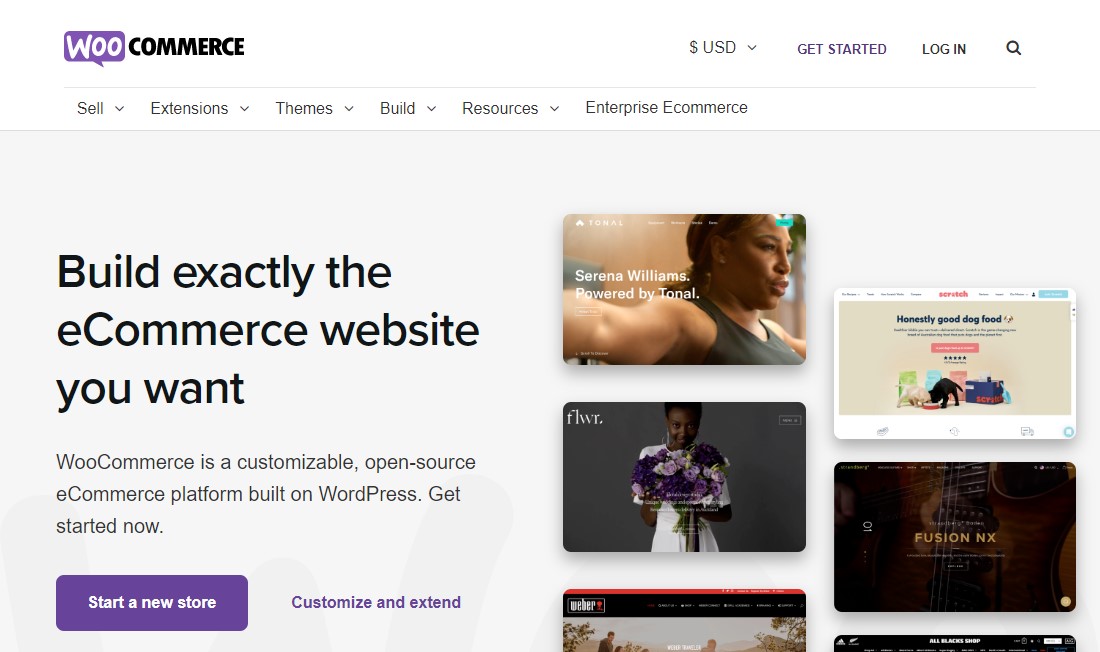
WooCommerce is a free, open-source eCommerce plugin for WordPress that turns any WordPress website into a fully functioning online store.
It allows users to sell physical or digital goods, manage inventory, process payments via multiple gateways, and manage shipping. It is highly customizable, scalable, and owned by the user, powering a significant portion of online stores.
What is WooCommerce SEO?
WooCommerce SEO is the process of optimizing your WooCommerce store so that it appears higher in search engine results.
In simple terms, it helps people find your products when they search on Google or other search engines. This includes improving your product pages, writing better descriptions, using the right keywords, and making sure your site runs smoothly.
It’s not just about search engines, though. Good WooCommerce SEO also makes your store easier to use. Faster pages, clear navigation, and helpful content all play a role.
When everything is optimized, your store gets more visibility. That means more traffic—and more chances to turn visitors into customers.
Is WooCommerce SEO-Friendly?
Let’s start with a simple question before diving into anything else: Is WooCommerce SEO-friendly?
The short answer is yes. Just like WordPress, WooCommerce is built with SEO in mind. But on its own, it doesn’t give you everything you need.
To really make the most of it, you’ll want an SEO plugin. With the right one, you can fine-tune your store for search engines and improve your chances of ranking on Google.
For example, you can add custom SEO titles and descriptions to your product and category pages. You can also include breadcrumbs, set up structured data, and handle other important SEO details with ease.
How Do You Do Keyword Research for a WooCommerce Store?
Keyword research for WooCommerce means identifying the exact words and phrases buyers type into Google when they’re ready to find, compare, or purchase a product in your category.
It’s not about finding the most popular keywords. It’s about finding the keywords with the right intent mapped to the right pages on your store.
Understanding Buyer-Intent vs. Informational Keywords
First, understand that not all keywords serve the same purpose. Buyer-intent keywords signal that someone is close to a purchase decision. These include terms like “buy [product],” “best [product] under $X,” “[product] review,” and “[product] vs. [product].”
Informational keywords — like “how to choose hiking boots” — signal that someone is researching, not yet buying.
For your WooCommerce store, buyer-intent keywords should appear on product and category pages. Informational keywords belong in your blog content. Mixing these up — for example, targeting “how to choose a standing desk” on a product page — creates a mismatch between what the visitor expects and what they find, which kills both rankings and conversions.
Mapping Keywords to Pages
Second, every page on your store should have one primary target keyword and two to four supporting semantic keywords.
Category pages should target broad, high-volume terms (e.g., “women’s running shoes”). Product pages should target specific, long-tail keywords (e.g., “Nike Air Zoom Pegasus 40 women’s size 8”). Your blog posts should target informational and comparison queries (e.g., “Nike vs. Adidas running shoes — which is better for marathon training?”).
For keyword research for ecommerce, start by mining three sources: your own Google Search Console data (what queries are already driving impressions?), competitor analysis in tools like Semrush or SE Ranking (what keywords do your top competitors rank for?), and Amazon autocomplete (Amazon searchers have extremely high purchase intent — their search behavior mirrors Google shoppers).
Effective WooCommerce SEO Strategy
In this section, we’ll walk through all the key parts of WooCommerce SEO. You’ll get practical tips, a few insider insights, and clear ways to make your store more competitive.
Let’s start with WordPress SEO. It’s the base your store is built on, so it’s the best place to start.
1. WordPress SEO
WooCommerce is a plugin for WordPress, built right on top of its content management system.
Because of that, a lot of WooCommerce SEO overlaps with regular WordPress SEO. You’ll notice some tips apply to both.
To start, install a good WordPress SEO plugin. Set it up properly so the basics are covered from the beginning. Most plugins come with a setup wizard or clear step-by-step instructions, so it’s pretty straightforward.
After that, follow as many WordPress SEO best practices as you can. Use categories and tags to organize your content. Add internal links where it makes sense. Keep your site structure clean and logical. Also, don’t ignore things like your comment section—it can play a role too.
Next, focus on your site’s speed and performance. This really matters. A faster website ranks better and creates a smoother experience for visitors. People don’t like waiting, and neither do search engines.
So, anything you can do to improve loading times is worth it.
Once you’ve handled all that, you can move on to WooCommerce-specific SEO tweaks. There’s no strict order here, but it’s a good idea to work through as many of them as possible.
2. Write Compelling Product SEO Titles
Your product title is usually the first thing people notice when your item shows up in Google search results. It’s what grabs their attention and makes them decide whether to click on your store or keep scrolling.
That’s why tweaking your titles can have such a big impact. It’s one of the simplest changes that can bring better results.
SEO plugins can definitely help you create search-friendly product titles. But it’s also worth getting comfortable doing it yourself. A manual touch often makes the title feel more natural and appealing.
For example, the Yoast SEO plugin offers helpful features for improving both titles and meta descriptions. They’re great for guidance, but they shouldn’t replace your own judgment.
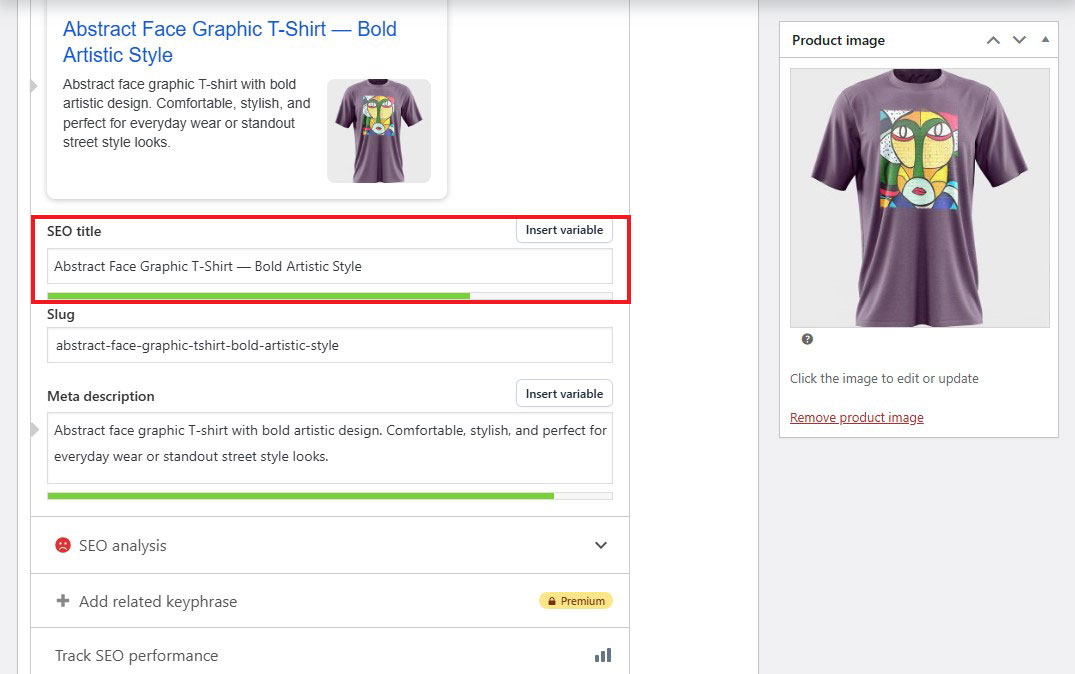
Here are a few practical tips to keep in mind when writing SEO-friendly product titles:
- Structure Your Titles Clearly: Follow a simple format like Product Name — Key Benefit | Brand Name (e.g., “Handmade Lavender Soy Candle — 60-Hour Burn Time | BloomWick.”)
- Lead With Your Main Keywords: Put the most important keywords at the beginning so they don’t get cut off in search results.
- Keep it Short and Clean: Aim for under 60 characters. This helps your full title show up without getting trimmed.
- Make Each Title Unique: Avoid repeating titles across products. Unique titles help prevent SEO issues and make your listings stand out.
3. Write Effective Meta Descriptions
Your meta description won’t directly boost your rankings. But it plays a big role in getting people to click. And more clicks can help your rankings over time.
Think of it like a mini ad. Start with the product’s biggest benefit. Add a keyword that shows buying intent. Then wrap it up with a simple call-to-action like “Shop now” or “Free shipping over $50.”
Before you publish any product page, run through your on-page SEO checklist. It helps you catch anything you might have missed.
Most SEO plugins make it easy to edit and optimize your meta description right on the product page.
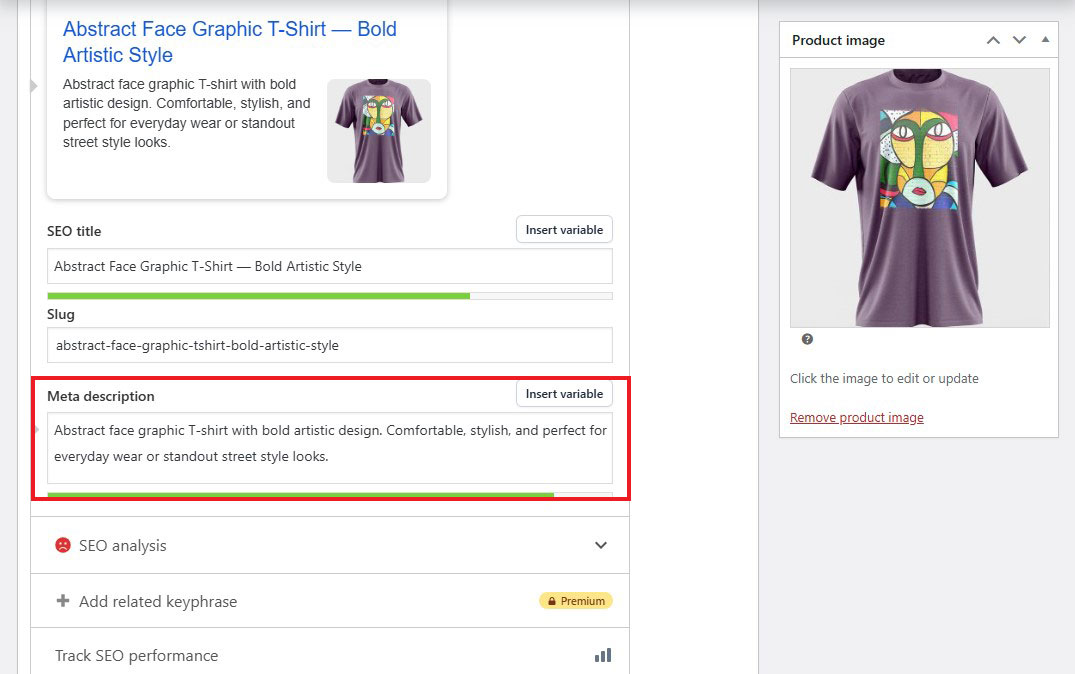
Google doesn’t have to use your meta description, but it often will if you provide one.
If you skip it, Google will create its own version. And honestly, that’s not something you want to leave to chance.
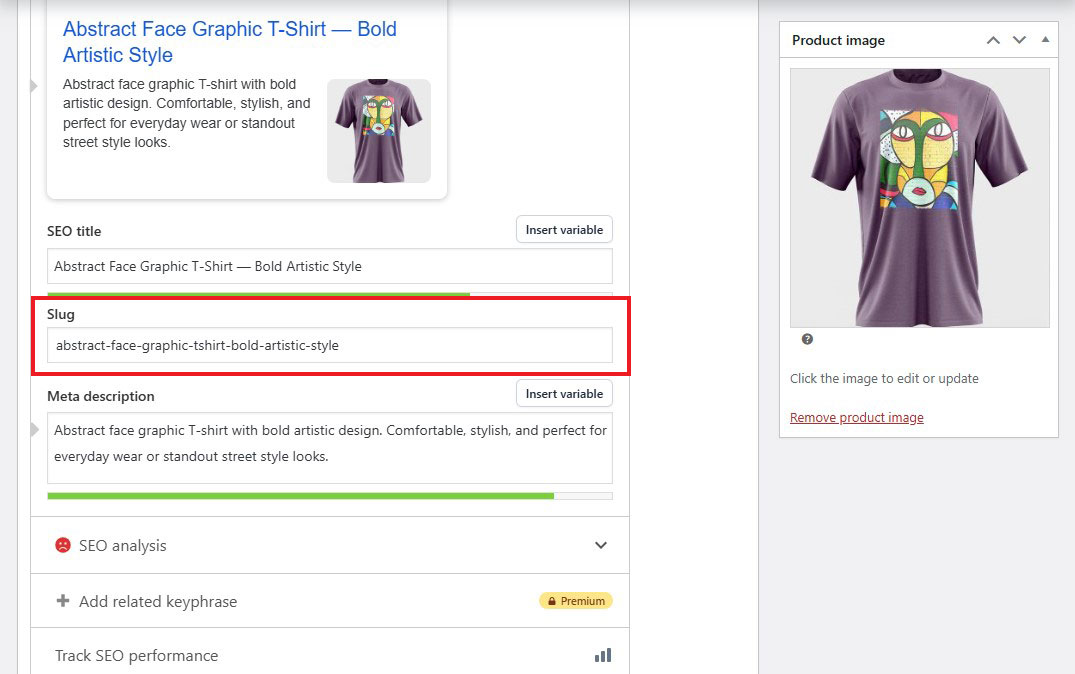
3. Optimize Your Product Slug
Product slugs—also called permalinks—are another simple way to give search engines more context about your products and improve your WooCommerce SEO. In plain terms, a product slug is just the URL for each item in your store.
Whenever possible, include relevant keywords in your slugs; these should be the words or phrases you want your products to appear for in search results. Think about what your customers are likely to type when they’re looking for a product like yours.
Most SEO plugins can handle this automatically for you. But if you’d rather have full control, you can easily set them up yourself, too.
4. Enable Breadcrumbs
Breadcrumbs sit at the top of a page and make it easy for visitors to go back to where they came from. They show your current location on the site, along with the path you took to get there.
They’re useful for people browsing your site, but they also help Google understand how your pages are connected. This can even affect how your site appears in search results.
Most SEO WordPress plugins also support breadcrumbs. For example, Yoast SEO includes a dedicated setting to turn them on and customize them.
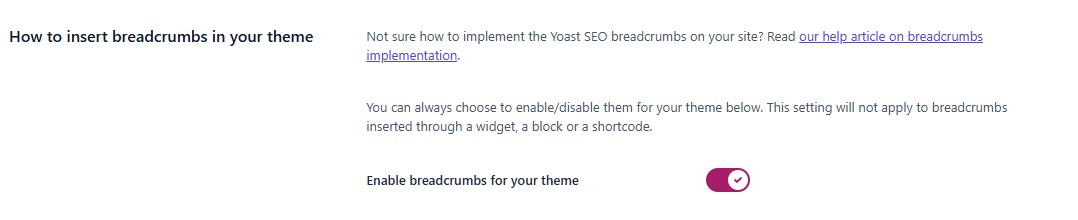
If you’re using one of the best WooCommerce themes, breadcrumbs are already built in and ready to use.
5. Use Product Categories and Tags
Product categories and tags are mainly there to help customers, not search engines. Still, they can give you a small SEO boost too.
They make it easier for people to find what they’re looking for. And that matters. Most shoppers don’t have much patience, so you need to guide them quickly to the right product.
Categories and tags also keep your store organized. This becomes even more important if you sell different types of products.
Categories are used to group items together. For example, a shoe store might have sections for men, women, and children.
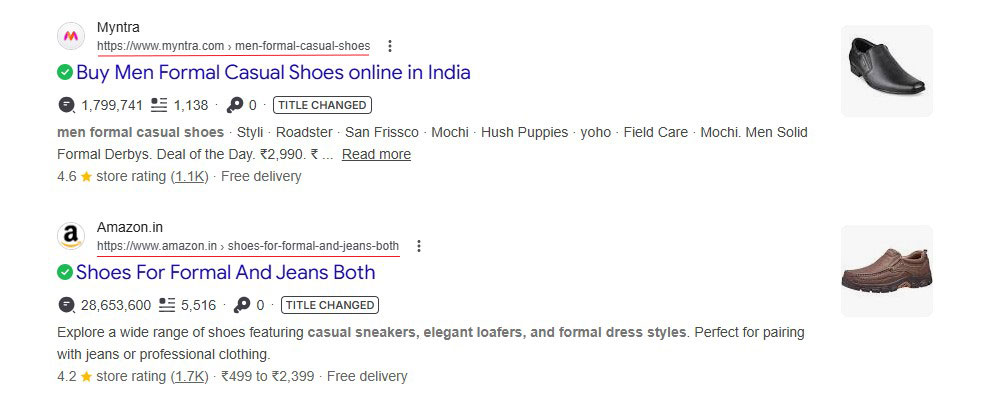
They follow a hierarchy. You can create subcategories to break things down further and keep everything neat.
Tags work a bit differently. They describe specific details about a product. For instance, a pair of shoes might be tagged as casual, formal, or designer.
Search engines do pay attention to categories and tags. They crawl these pages and sometimes display them alongside the main product in search results.
6. Add Alt Text to Images
Adding alternative (“alt”) text to your images is a simple way to improve your store’s search rankings. It plays a key role in image SEO. If an image doesn’t load, the alt text appears, giving you another place to include relevant keywords.
Here is a detailed guide on how to write good alt text for images.
Alt text also makes your website more accessible. Screen readers and other assistive tools rely on it to describe images to people with visual impairments. On top of that, search engines use alt text to understand and index your images. So, adding the right keywords here can give your WooCommerce SEO a helpful boost.
You can add alt text when uploading images to WordPress. If you need to update it later, head to your Media Library and edit it anytime.
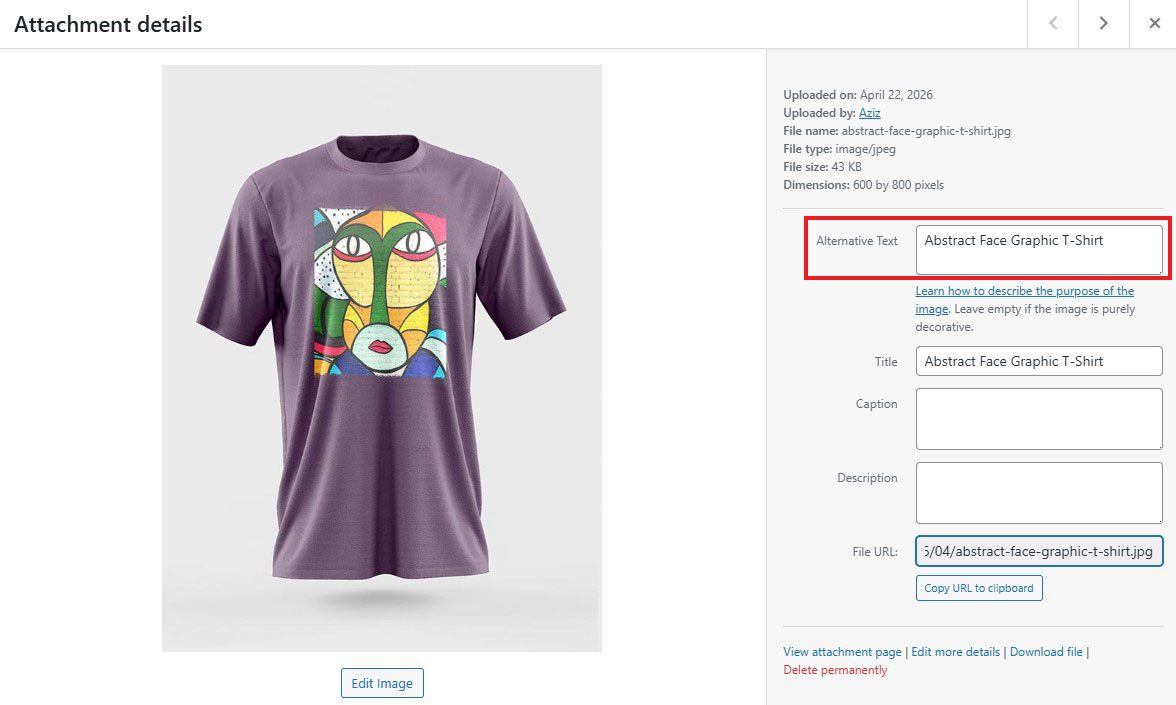
If you’re using the Yoast SEO plugin, it can guide you as well. In the SEO analysis section, it will flag images without alt text. Adjust your keyword usage to improve optimization.
Alt text isn’t the only way to optimize your images. But it’s a great place to start. For even better results, it’s worth following a few more image SEO best practices.
7. Add Title and Descriptions for Product Categories
Product categories are an important part of WooCommerce SEO, but they are often overlooked. Many stores leave these pages bare, showing only a list of products. That’s a missed chance to bring in more traffic.
With a simple tweak, you can change that. Add a unique description and improve the SEO title. This turns a dull archive page into something that actually attracts visitors.
To do this, go to Products » Categories, then click “Edit” under any category. From there, apply the same SEO tips you’ve already been using.
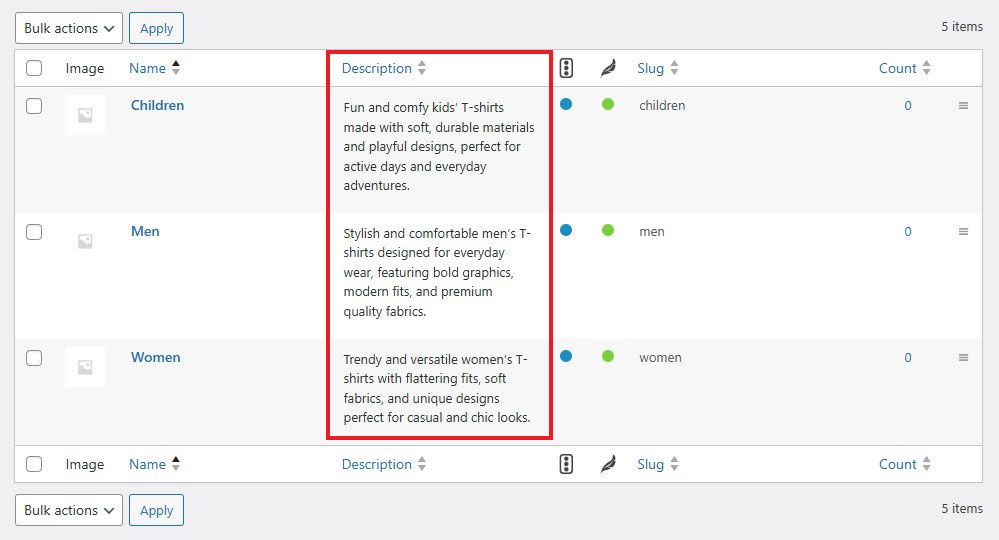
If you’re using Yoast SEO, you can easily set a custom SEO title and description for each category.
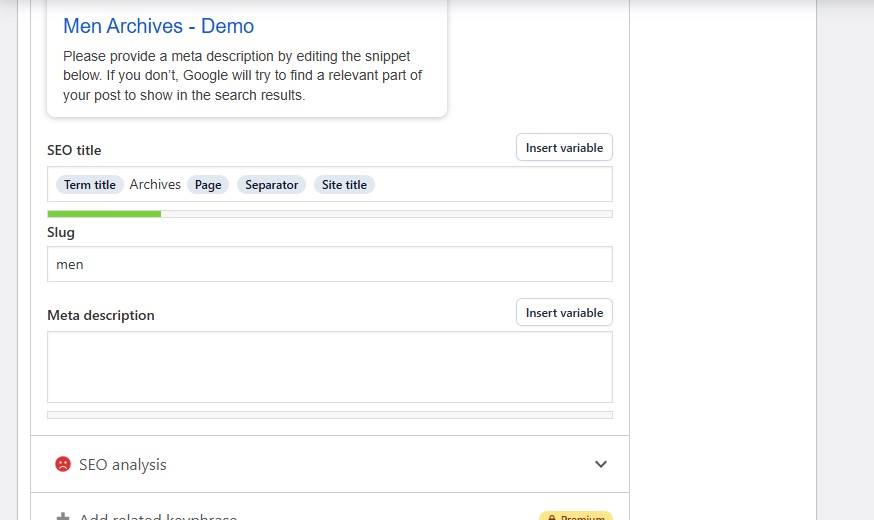
It may seem like a small step, but these little improvements add up. They can give you an edge over your competition, so it’s definitely worth the effort.
8. Add Schema for Product Pages
Using schema is another WooCommerce SEO tip worth using.
It helps search engines understand what your pages are about. When they get that clarity, your chances of ranking higher improve too.
It’s a good idea to add schema across your entire store. The best part? It’s simple to do, but the impact can be surprisingly strong.
You can add schema manually or through general SEO plugins. A dedicated WordPress schema plugin makes the whole process much easier.
All you need to do is create the schema, assign it to the right pages, and map everything properly. After that, the plugin handles the heavy lifting.
Just remember to test your schema regularly. This ensures everything is working correctly—and that’s really all there is to it.
9. Make Sure to Use rel=”Canonical”
If you’re running a WooCommerce store, you’ll end up with a fair bit of duplicate content—and that’s completely normal. For instance, when shoppers use filters like size, color, or price, those filters create extra URLs. Many of those pages end up showing the same or very similar content.
Now, you might have heard about “duplicate content penalties.” In reality, that’s mostly a myth—unless you’re trying to game the system. Still, it’s not a good idea to let Google spend time indexing all those duplicate pages.
A simple way to handle this is to use a canonical tag. It tells Google which version of a page is the main one, so it knows where the original content lives.
It sounds technical, but it’s pretty straightforward. Most WooCommerce SEO plugins—like Yoast SEO—automatically handle this for you.
10. Optimize Store Speed and Performance
We mentioned the importance of WooCommerce site speed optimization earlier. A fast website keeps people browsing, lowers bounce rates, and can lead to more sales or sign-ups.
Google suggests your store should load in three seconds or less, whether someone is on mobile or desktop. Even a one-second delay can push customers to leave. Sometimes, they won’t even make it to checkout.
Furthermore, unlike regular blog hosting, WooCommerce needs significant server resources to process orders and update cart totals in real time. If your hosting can’t keep up, your site speed drops—and that can hurt your SEO too.
For hosting, we recommend Hostinger. It’s affordable and comes packed with useful features. You get solid performance, built-in security, and an easy one-click setup for WordPress and WooCommerce. For most small to mid-sized stores, it works really well.
That said, it’s not the only choice. We’ve also compared other hosting providers. If you want to explore your options, check out our detailed guide on the best WooCommerce hosting.
Once your hosting is sorted, you can move on to fine-tuning things. This includes caching and optimizing your database. Every WordPress site is different, so it’s best to start with the basics. Our ultimate guide to WordPress speed is a good place to start.
11. Improve WooCommerce Security
Search engines favor websites that feel safe and secure. Google, in particular, takes this very seriously. If it finds malware on your store, your rankings can drop fast—or your site might even disappear from search results altogether.
The reason is simple. Google wants to protect its users. If someone clicks your link and sees a “Deceptive Site Ahead” warning, they’ll leave right away. That quick exit tells Google your site can’t be trusted.

Most security problems don’t just happen randomly. Many attacks are automated. They usually target websites that hold valuable data.
A WooCommerce store is a good example. It handles customer details like names, addresses, and payment information. Because of that, it needs stronger protection than a simple blog. Automated tools are always scanning the internet for weak spots, and online stores are a common target.
That’s why it’s important to stay ahead of the problem. Even if your store is small or brand new, security should still be a priority.
If you want to protect your SEO rankings—and your reputation—you need to take action early. Follow a clear, step-by-step WordPress security guide to keep your store safe.
12. Leverage Internal Linking
One of the easiest ways to improve your website is by using internal links.
When you link pages to each other, you help spread authority across your site. This can give those pages a better chance of ranking higher. It also makes things simpler for your visitors, which is always a win.
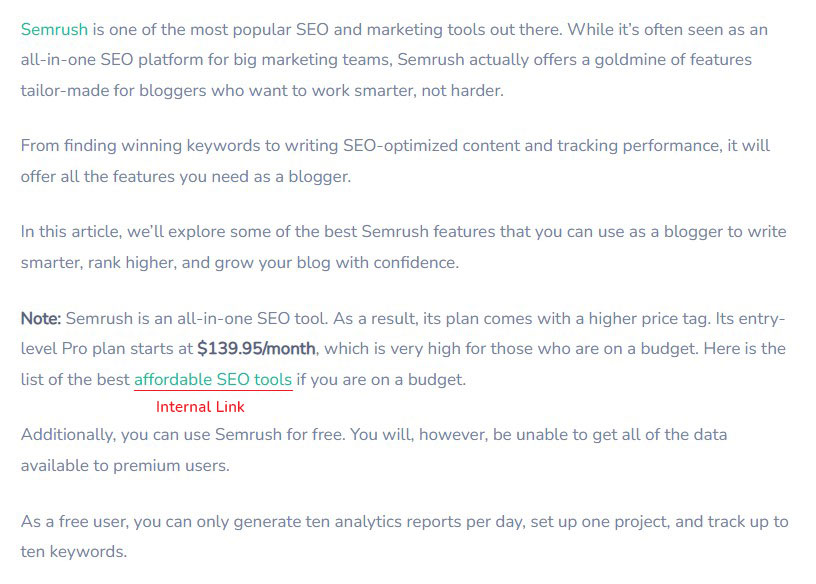
Here are a few simple tips to keep in mind:
- Only add links that make sense and actually help the reader
- Use anchor text that includes relevant keywords
- Start by linking from pages that already get good traffic
- Don’t add links just for the sake of it
Internal linking is used on every website, so it’s worth getting comfortable with it.
Whether someone lands on your homepage or a blog post, good internal links can guide them to more content. This keeps them on your site longer.
And the longer they stay, the more likely they are to take action—like making a purchase.
13. Use a Search Engine Optimized Theme
Your theme plays a big role in how well your store performs. It’s not just about looks—it also affects how easy your site is to use and navigate.
When choosing a theme, here are a few things worth checking:
- Schema Markup: This is the code that helps Google and other search engines understand your site better.
- Performance: Faster pages rank better on both mobile and desktop. Speed really matters.
- Header Tags: Make sure the theme supports proper use of H1, H2, and H3 tags.
- Breadcrumbs: These help search engines figure out your site structure and improve internal linking.
- Responsive Design: Your site should look and work well on all devices, especially mobile.
- AMP Compatibility: AMP can speed up mobile page load times.
If you want a solid starting point, go with an SEO-friendly theme like Astra, Kadence, or GeneratePress.
14. Generate and Submit XML Sitemaps
An XML sitemap is basically a list of the key pages on your website. It helps search engines see how your site is set up and makes it easier for them to find your content. If you’re running a WooCommerce store, it also helps ensure that your product pages, categories, and other important sections get crawled and indexed.
Does your store already have one? Just type this into your browser:
https://www.yourwebsite.com/sitemap.xml
If a sitemap exists, you’ll see a list of your page URLs. If not, you’ll likely get a “404 Error Not Found” error, which means there’s no sitemap at that address.
The good news is that many SEO plugins for WooCommerce can handle this for you. For example, with Yoast SEO, you go to the settings and turn on the XML sitemap option. It will automatically generate and submit the sitemap to search engines.

For more, check out our WordPress sitemap guide.
WooCommerce SEO Plugins
We’ve talked a lot about SEO plugins in this guide—and honestly, there’s a good reason for that. They’re a great starting point if you want to improve your search visibility.
If you’re getting your business off the ground, these tools can do more than enough. They’ll help you handle the basics while you grow and eventually reach a stage where you can hire an SEO expert or work with an agency.
Since WooCommerce runs on WordPress, you won’t need a separate plugin just for WooCommerce. Instead, you’ll use a WordPress SEO plugin to do the job.
With that in mind, here are some best WooCommerce SEO plugins.
1. Yoast SEO
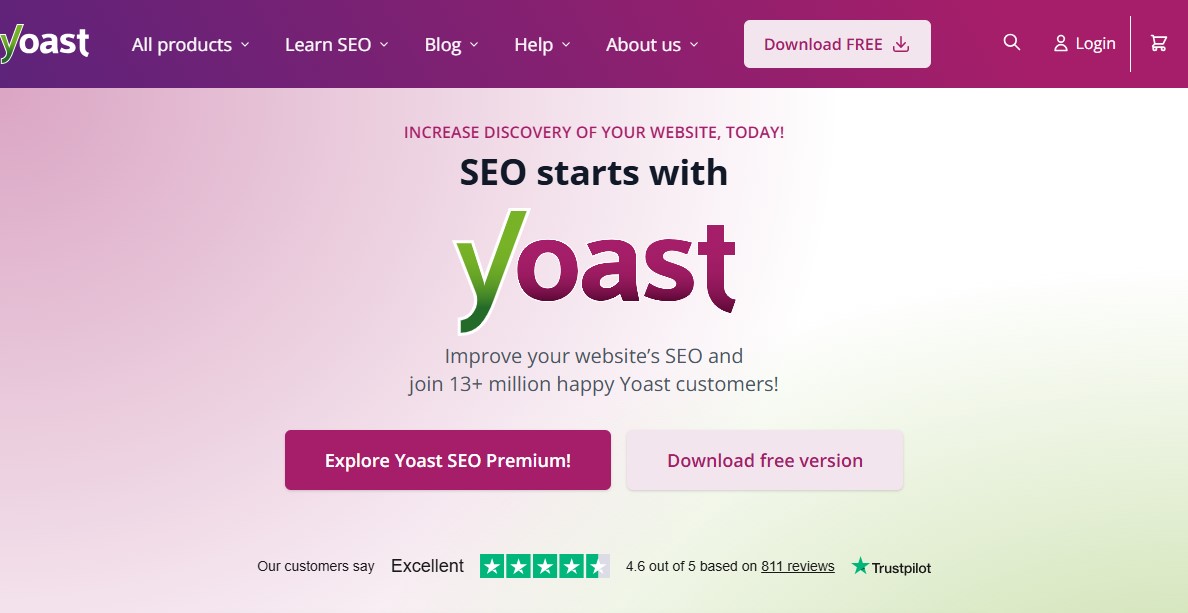
Yoast SEO is a great plugin to start with if you want to improve your site’s SEO. It covers all the essentials and gives you the tools you need without feeling overwhelming.
You can quickly add SEO titles and descriptions to your posts and pages. It also lets you manage metadata and fine-tune your keywords with ease.
Another helpful feature is that Yoast automatically creates a sitemap for your store. This makes it easier for search engines to find and index your content.
There’s a free version available, and if you need more advanced features, the premium plan costs $118.80 per year.
2. Rank Math
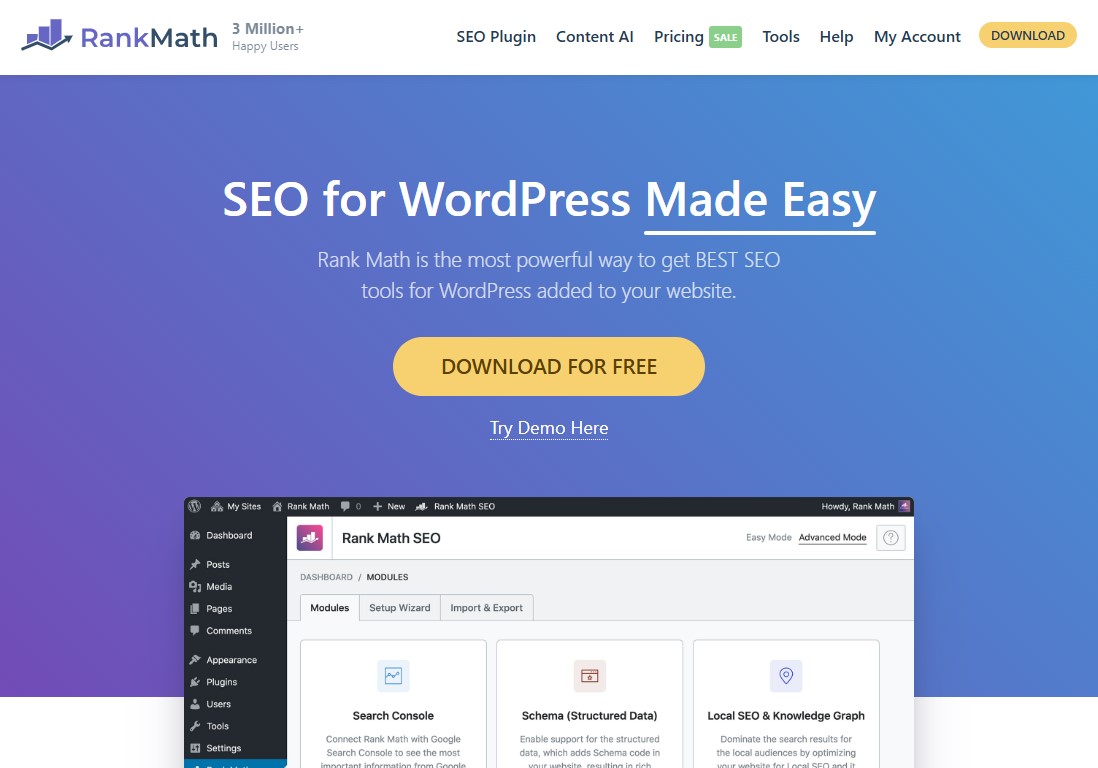
Rank Math is a handy tool for optimizing your WooCommerce store. It’s simple to use and easy to set up, even if you’re new to SEO.
You get all the essential SEO features right out of the box. On top of that, it offers tools for site audits, analytics, rank tracking, and keyword positioning. There are also plenty of advanced options if you want to dive deeper.
Getting started is quick and straightforward. But as you learn more, you can easily explore its more powerful features and take things further.
There’s a free version available. If you need more features, the Pro plan starts at $7.99 per month.
For more, check out our complete Rank Math review.
3. All in One SEO (AIOSEO)
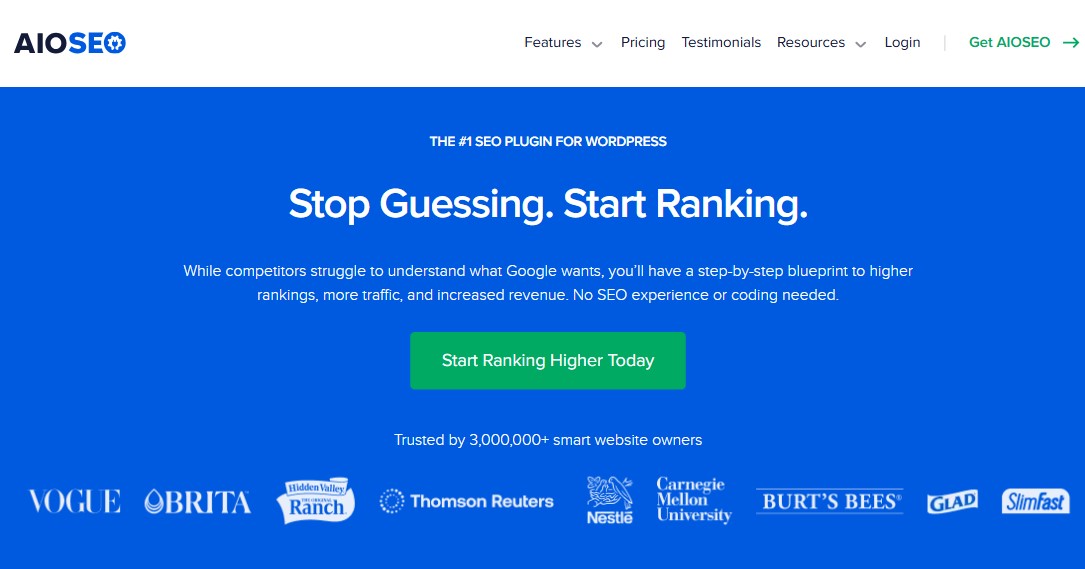
All in One SEO (AIOSEO) gives you a solid set of tools to help improve your search rankings.
It’s packed with features. You can use it for local SEO, video SEO, social media optimization, site audits, redirects, and internal linking. In short, it covers almost everything you need to grow your store’s visibility.
Getting started is simple. The setup process is straightforward, even if you’re new to SEO. You can easily add SEO titles, meta tags, image sitemaps, XML sitemaps, and more without any hassle.
There’s also a free version you can try. If you want more advanced features, the Pro plan starts at $49.50 per year for a single-site license.
Conclusion
WooCommerce SEO isn’t about quick wins or one-time tweaks—it’s an ongoing process that builds momentum over time.
When you get the basics right, optimize your product and category pages, and focus on user experience, the results start to compound. More visibility leads to more traffic, and better traffic leads to more sales.
The best part? You don’t need to do everything at once. Start with the fundamentals, implement changes step by step, and keep improving as your store grows.
Stay consistent, keep testing what works, and over time, your WooCommerce store won’t just rank—it’ll thrive.
For more, check out these other helpful resources:
- 29 Best WooCommerce Plugins for an eCommerce Store
- 8 Best WooCommerce Dropshipping Plugins Compared
- Best Payment Gateways for WooCommerce: Top 10 Picks
Lastly, follow us on Facebook and X (formerly Twitter) to stay updated on the latest WordPress and blogging-related articles.
Frequently Asked Questions
Is WooCommerce good for SEO?Yes, WooCommerce is highly SEO-friendly. Built on top of WordPress, the world’s best Content Management System (CMS) for SEO, it offers immense flexibility, allowing you to optimize URLs, product metadata, site speed, and structured data for better search rankings.
Yes, WooCommerce is highly SEO-friendly. Built on top of WordPress, the world’s best Content Management System (CMS) for SEO, it offers immense flexibility, allowing you to optimize URLs, product metadata, site speed, and structured data for better search rankings.
What are the best SEO plugins for WooCommerce?Popular choices include Yoast SEO, Rank Math and AIOSEO. All the plugins offer dedicated WooCommerce modules to handle schema markup, XML sitemaps, and content optimization, simplifying complex technical SEO tasks significantly.
Popular choices include Yoast SEO, Rank Math and AIOSEO. All the plugins offer dedicated WooCommerce modules to handle schema markup, XML sitemaps, and content optimization, simplifying complex technical SEO tasks significantly.
Does site speed affect WooCommerce SEO?Yes, site speed is a critical ranking factor. A slow-loading store increases bounce rates, negatively impacting user experience and signaling to search engines that your site lacks quality.
Yes, site speed is a critical ranking factor. A slow-loading store increases bounce rates, negatively impacting user experience and signaling to search engines that your site lacks quality.
Why should I use Schema markup on my WooCommerce store?Schema markup provides search engines with clear, structured information about your products, such as price, availability, and reviews, which helps generate “Rich Snippets” in search results.
Schema markup provides search engines with clear, structured information about your products, such as price, availability, and reviews, which helps generate “Rich Snippets” in search results.
Is an SSL certificate required for WooCommerce SEO?Yes, Google prioritizes secure websites. An SSL certificate (HTTPS) is not only essential for protecting customer data during transactions but is also a confirmed search ranking signal.
Yes, Google prioritizes secure websites. An SSL certificate (HTTPS) is not only essential for protecting customer data during transactions but is also a confirmed search ranking signal.
How long does it take for WooCommerce SEO to show results?SEO is a long-term strategy. While technical fixes might show immediate improvements, significant ranking growth typically takes three to six months of consistent optimization and content creation.
SEO is a long-term strategy. While technical fixes might show immediate improvements, significant ranking growth typically takes three to six months of consistent optimization and content creation.

