2 April 2026

11 Best WordPress Themes for Photographers in 2026
You already know your photography deserves a website that does it justice — clean galleries, fast load times, and a layout that puts your images front and center.
What most photographers don’t realize is that not all WordPress themes handle photography the same way, and choosing the wrong one can slow your site, bury your best work, and cost you clients.
In this article, you’ll find the best WordPress themes for photographers in 2026, so you can make the right call without the guesswork.
Ready? Let’s dive in!
What Is a WordPress Photography Theme (And How Is It Different from a Regular Theme)?
A WordPress photography theme is a purpose-built website template that optimizes image rendering, gallery layouts, and page load performance specifically for photography portfolios and client-facing sites.
That definition matters — because it separates a true photography theme from a generic multipurpose theme someone happens to use for photography.
Most general WordPress themes treat images as supporting content. Photography themes treat images as the product. This means they ship with fullscreen hero sections, masonry grid galleries, lazy-loading image support, and typography designed to complement visual work rather than compete with it.
A theme like Oshine or Photocrati is engineered from the ground up to make photos look stunning on every screen size — something a general business theme isn’t built to do.
Why Your WordPress Theme Matters for Photography Websites
Your theme does more than change how your site looks. It affects four key things: speed, image quality, mobile experience, and SEO. These decide if someone stays on your site—or leaves right away.
1) Speed matters most.
If your site is slow, people won’t wait. Google also uses speed as a ranking factor. Metrics like LCP, CLS, and INP play a big role here.
Photography sites often struggle because images are heavy. A bulky theme with too many scripts and animations can slow things down a lot. If your page takes over 3 seconds to load, that’s already a problem.
In fact, a site that loads in 1 second can convert three times better than one that takes 5. Choosing a lightweight theme can make a real difference.
2) Image quality is just as important.
Your photos need to look sharp and true to life. Good photo themes handle high-resolution images well. They avoid issues such as blurring, poor cropping, or color shifts.
Many also support modern formats like WebP. Plus, they’re optimized for high-end screens, so your work looks great on devices like MacBooks.
3) Mobile experience can’t be ignored.
More than half of web traffic comes from phones. If your site doesn’t work well on mobile, visitors will leave. Poor themes can break layouts, crop images badly, or make navigation hard.
A solid photography theme adjusts smoothly across all screen sizes.
4) SEO and first impressions go hand in hand.
Your theme shapes how search engines see your site. Clean, well-structured code helps Google better understand your content. And for visitors, a clean design builds trust at first glance.
What Features Should You Look for in a WordPress Photography Theme?
The best WordPress photography themes share a specific set of features that set them apart from professional-grade tools and from visual-only themes that look good in previews but underperform in real use.
Here’s what actually matters:
Gallery Display Options and Layout Flexibility
A good photography theme offers multiple gallery layout styles — masonry, grid, justified, and fullscreen slideshow — because different photography niches call for different presentation styles.
Wedding photographers typically want a warm, editorial fullscreen layout. Commercial photographers may prefer a clean grid. Fine art photographers often use a justified gallery to maintain image proportions.
Look for themes that include these layouts by default or integrate cleanly with the best WordPress gallery plugins.
WooCommerce Compatibility for Selling Prints
If you plan to sell prints, digital downloads, or photography packages from your website, WooCommerce compatibility is non-negotiable.
Not all photography themes are built to work with WooCommerce. Before purchasing, verify WooCommerce compatibility in the theme documentation.
Page Builder Compatibility
Most photographers without coding skills rely on a WordPress page builder to customize their theme. Confirm that your chosen theme has been tested and is compatible with your preferred builder.
Loading Speed and Lightweight Code
A well-optimized photography theme should load in under 3 seconds on a standard shared host. If it takes more than 3 seconds to load, that’s a red flag — even before you add your own content and images.
For tips on keeping a WordPress site fast, read our guide on how to speed up a WordPress site.
Mobile Responsiveness and Retina Display Support
A photography theme must look flawless on every screen — from a 27-inch studio monitor to a 5-inch smartphone screen. Test a theme’s mobile demo on your own phone before purchasing.
Additionally, retina display support is increasingly expected. Most premium photography themes include this by default. It’s worth confirming for any free WordPress theme you consider.
11 Best WordPress Themes for Photographers in 2026
Below are the best WordPress photography themes that you can use for your photography website.
1. Sydney
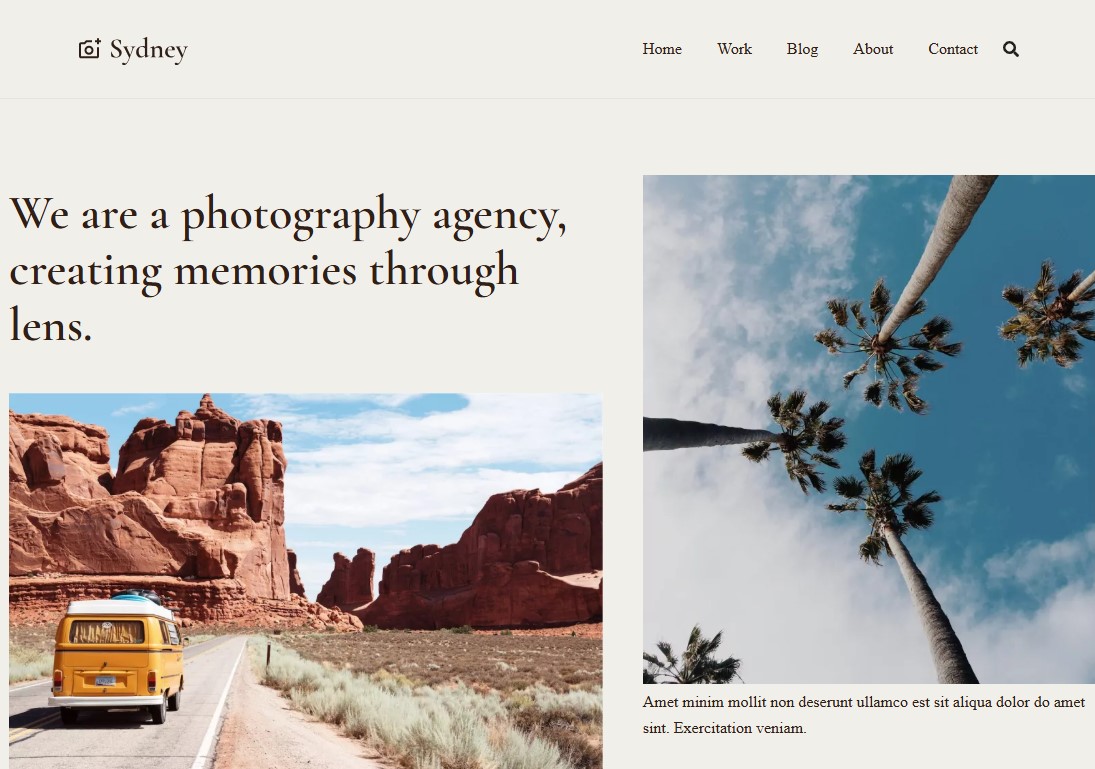
Sydney is the best WordPress theme for photographers. It comes with over 30 ready-made starter sites, including templates specially built for photography. As a result, you can create a photography website in minutes.
Getting started is simple. Customizing the theme is just as easy. You can choose your own colors, pick fonts that match your style, add sidebars, and drop in ready-made sections from the Sydney Studio.
The theme also offers a variety of layout options. This makes it easy to adapt to different photography styles. For example, you can use a full-width layout to let your images fill the screen and really stand out.
It also works smoothly with WooCommerce so that you can sell your photos online without hassle.
On top of that, the theme loads quickly and looks great on mobile devices. That’s especially important when your site features many high-quality images.
Pricing:
Free version available. Pro starts at $63/year or $199/lifetime for a single-site license.
2. Divi
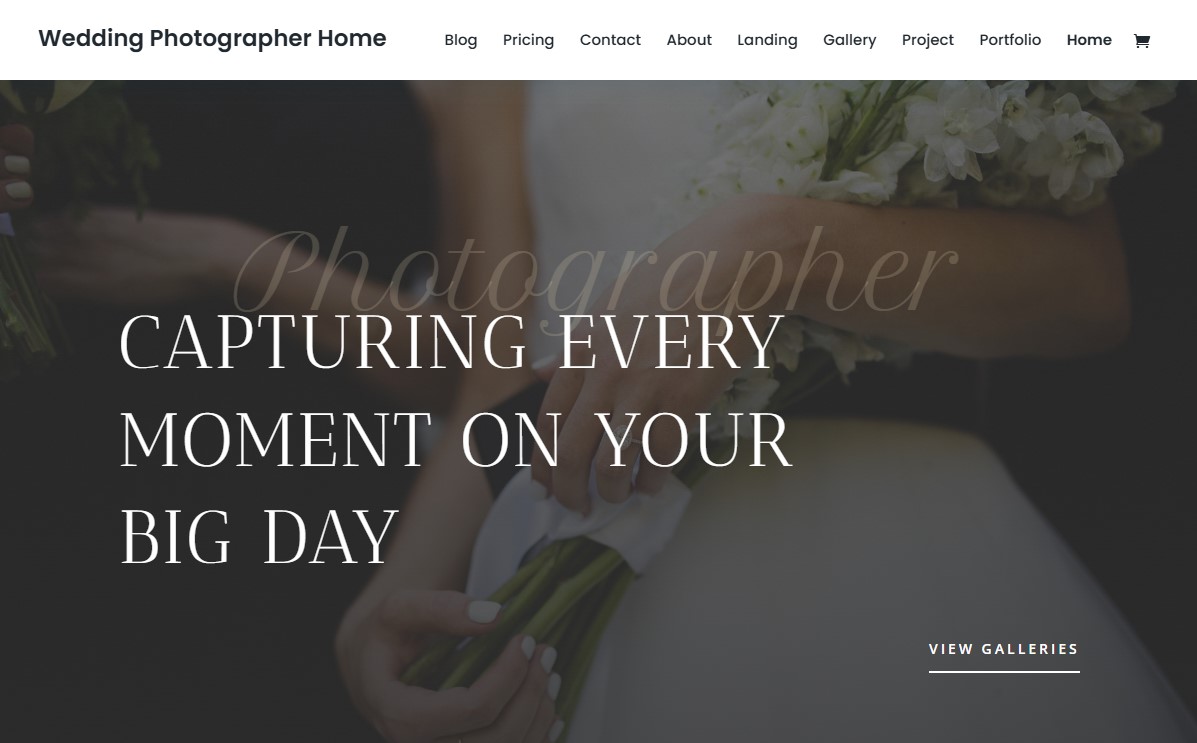
Divi is one of the most widely used WordPress themes in the world, and for good reason — it’s not just a theme, it’s a complete design ecosystem. The Divi Builder gives photographers a drag-and-drop interface with 300+ layout packs, many specifically designed for photographers and creative portfolios.
Key features include a fullscreen section builder, gallery modules with masonry and grid layouts, WooCommerce integration for print shops, and A/B testing built into the builder.
The main trade-off: Divi’s builder can add page weight, so pairing it with a caching plugin is essential for photographers with large image libraries.
Pricing:
Divi is a premium theme which cost $89/year or a $249 one-time lifetime license for unlimited website usage.
3. Astra
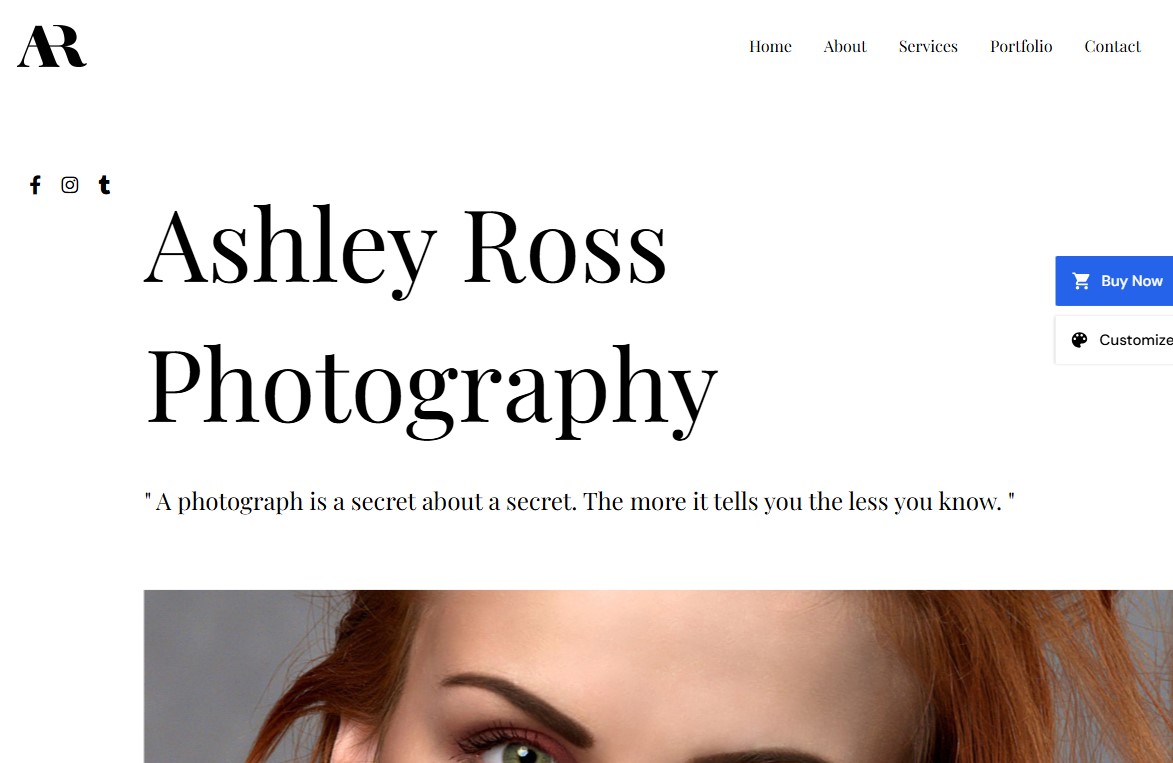
Astra is easily one of the best WordPress themes for photographers. It’s flexible enough to work for almost any kind of website, not just photography.
One of the biggest reasons people choose Astra is its speed. It’s incredibly lightweight, loading in under 50KB and not relying on jQuery in its core setup. That makes it a great option if you care about performance and Core Web Vitals without sacrificing design.
It also comes with a range of ready-made templates, so you can quickly set up a professional portfolio. And if you want to take things further, you can use Spectra to build more dynamic and eye-catching image galleries.
Another plus is compatibility. Astra works smoothly with popular page builders like Elementor, Visual Composer, and Beaver Builder. If you’re planning to sell your photos, you’ll be glad to know it’s built with WooCommerce in mind, making it easy to set up an online store.
The theme is fully responsive too, so your site will look good on desktops, tablets, and phones right from the start.
All in all, if you’re a photographer on a budget and want a fast WordPress theme, Astra is a great option. It’s also one of the top picks in our list of the best free WordPress themes.
Pricing:
Free version available. Pro starts at $69/year or $319/lifetime for a three-site license.
4. Photocrati
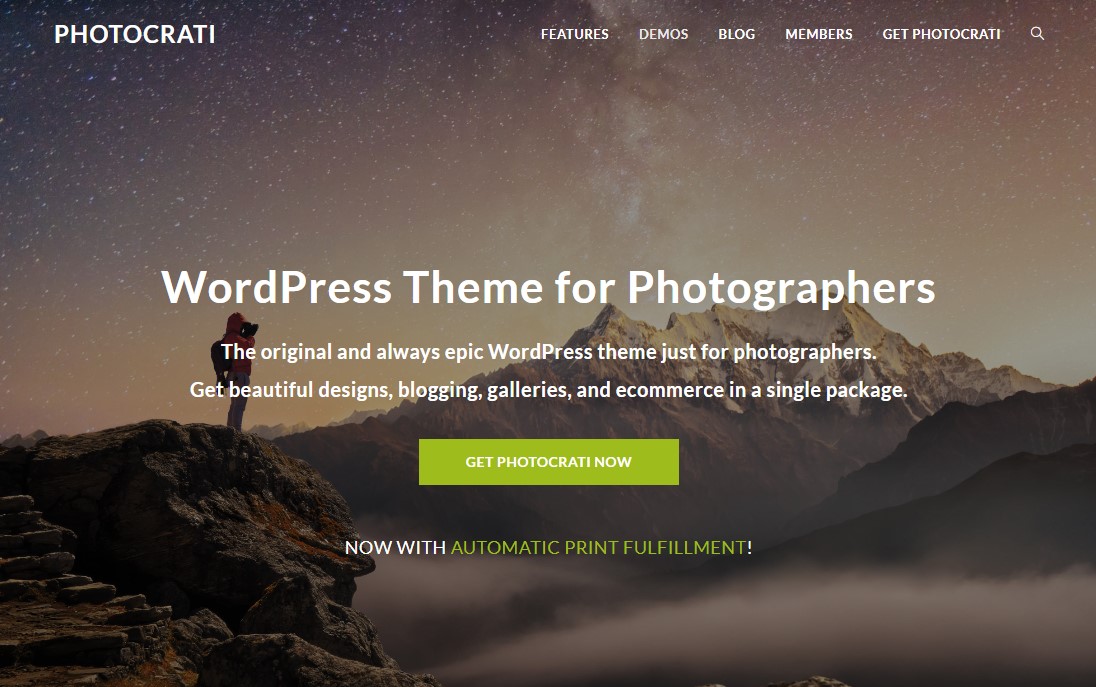
Photocrati is an epic, hugely popular WordPress theme for photographers and visual artists. It comes with more than 65 ready-made designs, each with up to 8 homepage styles. That gives you over 500 design options to start with, so there’s plenty of room to find a look that fits your style.
It also has built-in eCommerce features. This makes it easy to set up proofing galleries or sell your photos online. You can offer both prints and digital downloads without needing extra tools.
One standout feature is the flexibility in gallery layouts. You can choose from a variety of styles, including mosaic, masonry, tiles, thumbnails, filmstrip, film, and even blog-style layouts. This gives you a lot of creative control over how your work is displayed.
On top of that, Photocrati includes a gallery management system to keep everything organized. It also comes with a built-in lightbox that you can customize to match your site.
Like most modern WordPress photography themes, it’s fully responsive. Your site will look good and work smoothly on both desktop and mobile devices.
Pricing:
As a WordPress premium theme, Photocrati costs $99.50/year for a single-site license.
5. Fukasawa
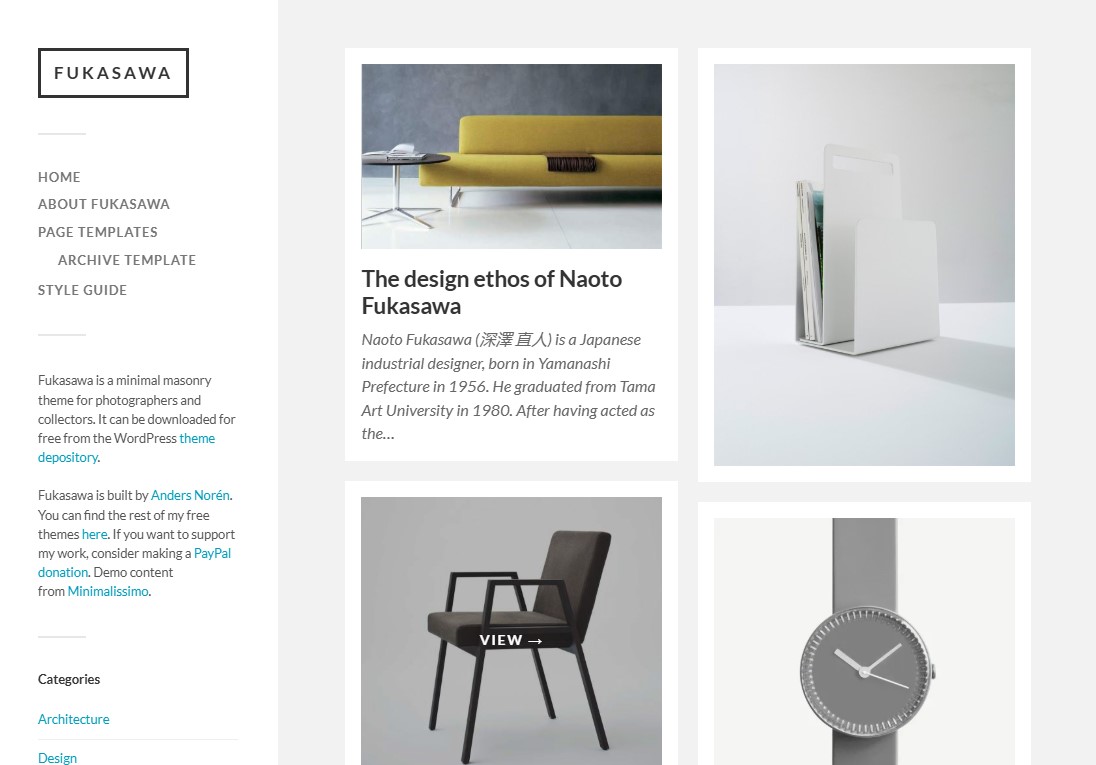
Fukasawa is a clean, masonry-style WordPress blog theme made for photobloggers and creative folks. It’s fully responsive and retina-ready, so your site will look sharp on any screen without much extra effort.
You can use different post formats, including galleries and videos. That makes it easy to share your photos and videos however you like.
It also works smoothly with Jetpack. New posts load automatically with Infinite Scroll, so visitors don’t have to refresh the page. Your images are displayed in a neat grid using Jetpack’s tiled galleries, which gives everything a polished look.
When it comes to customization, you have plenty of options. You can change the colors, upload your own logo, and use the sidebar widget area. There are even five custom widgets included, so you can make the theme feel truly your own.
Pricing:
Fukasawa is a free WordPress photography theme available on the WordPress theme repository.
6. Neve

Neve is a fast, flexible WordPress theme built specifically for photographers. Its clean, simple design keeps the focus on your photos. There are no distractions, just your work front and center. That makes it a great fit for professionals, hobbyists, and anyone who shares a lot of visual content.
Getting started is easy. You can import ready-made starter sites with a single click. From there, you can tweak everything to match your style or brand. Neve also works well with popular page builders, so you can create layouts that feel unique to you with minimal hassle.
The theme is lightweight, which means your site loads quickly. That’s important when you’re working with lots of high-quality images. A slow site can turn visitors away, but Neve helps keep things smooth and fast.
It also supports gallery plugins and built-in modules. You can create eye-catching galleries and slideshows to show off your best shots. On top of that, it’s optimized for SEO. This helps your site appear higher in search results, making it easier for people to discover your work.
Pricing:
Free version available. Pro starts at $69/year for unlimited site usage.
7. Imagely
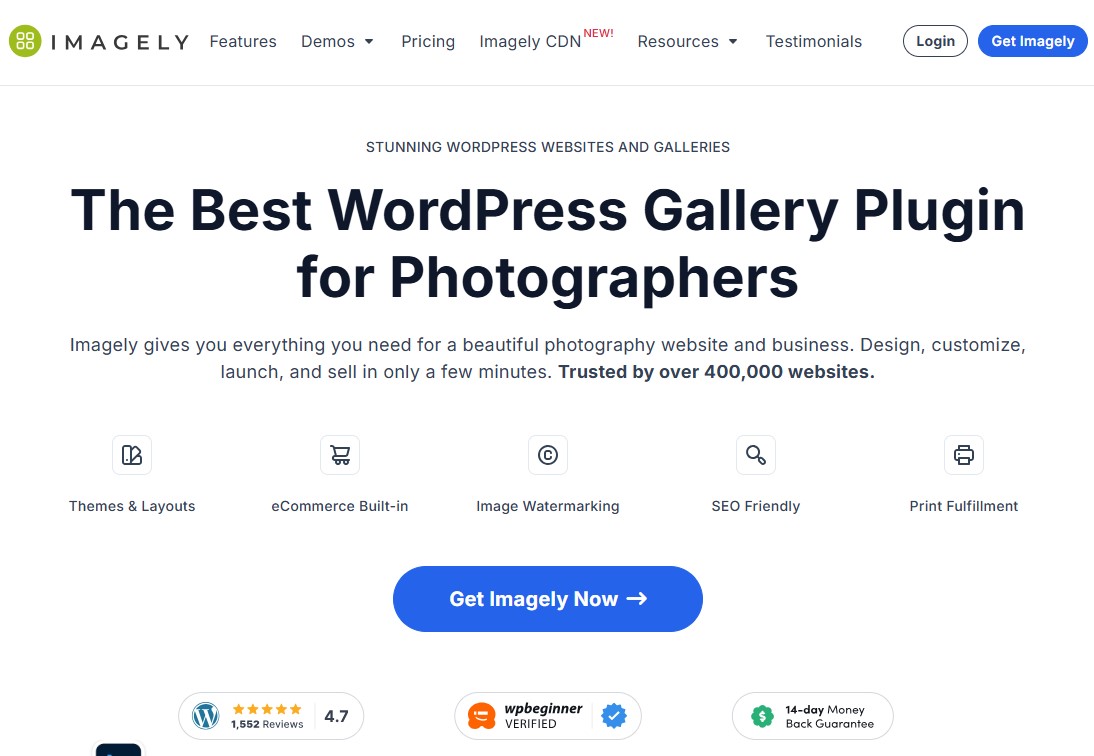
Imagely is an all-in-one WordPress theme made just for photographers. It gives you everything you need to build a clean, professional-looking photography website. Unlike general themes, Imagely focuses on what photographers actually need. It strikes a nice balance between customization, speed, and powerful gallery options.
You’ll find over 84 ready-made layouts inside. Each one is designed for different photography styles, whether you shoot weddings, corporate headshots, or something else.
It also comes packed with useful features. You can create beautiful galleries, proof images for clients, and even sell your work online. Selling is simple, thanks to built-in tools that support Stripe and PayPal. You can offer digital downloads, prints, or both.
Another handy feature is its Lightroom integration. It lets you manage and sync your website galleries directly from Lightroom, which saves a lot of time.
When it comes to protecting your work, Imagely has you covered. You can add watermarks, block right-click downloads, and set up automatic backups. These tools help keep your photos safe from unauthorized use.
Pricing:
Imagely costs $69.50/year for a single site license.
8. SeedProd

SeedProd is one of the most popular website builders for WordPress—and for good reason. It’s a great option for photographers who want to build a site without touching any code.
You get access to over 350 ready-made site kits and templates. Just pick one you like and import it with a single click. In minutes, you’ll have a fully working website up and running.
One standout feature is the AI Theme Builder. All you need to do is enter your website title and a short description. Then choose your colors—or let the AI handle that for you—and hit “create.” In about a minute, you’ll have a custom photography website that looks polished and works smoothly. It’s honestly pretty impressive.
SeedProd also includes a simple drag-and-drop page builder. This makes it easy to create custom landing pages without any hassle.
It’s worth noting that SeedProd isn’t built specifically as a photography theme. Still, if you want an all-in-one drag-and-drop page and theme builder, it’s easily one of the best options out there.
Pricing:
SeedProd costs $39.50/year for a single-site license.
9. Fargo
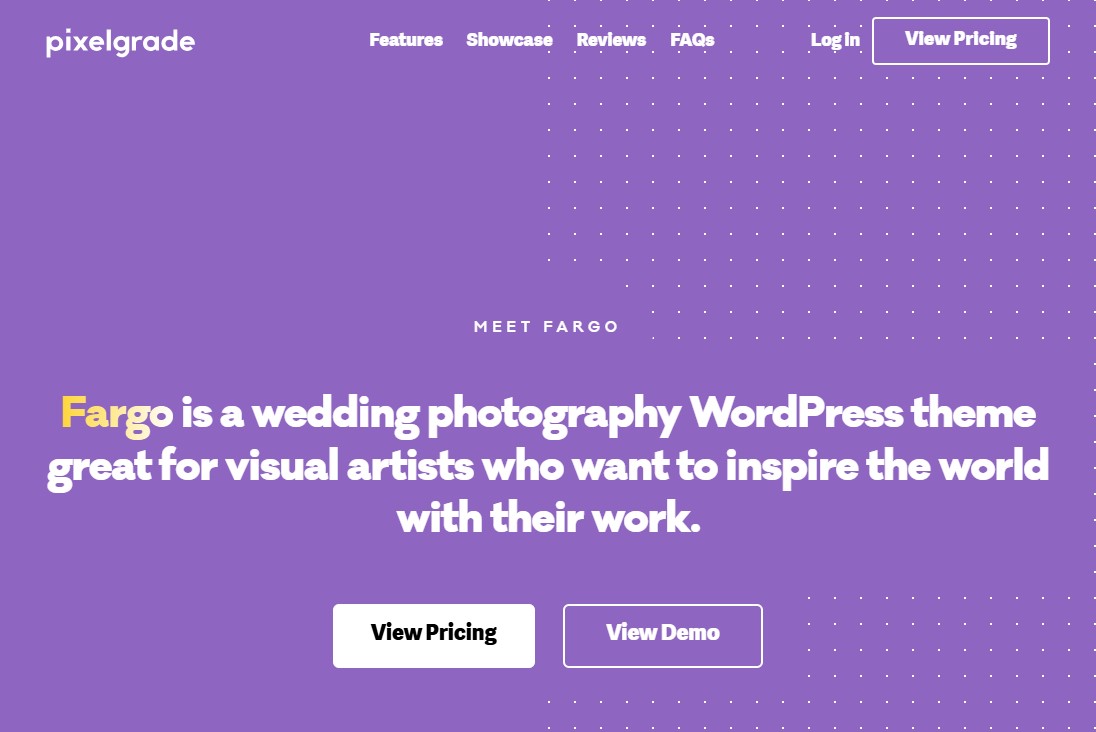
Fargo is one of the best WordPress themes for photographers who want their portfolio to stand out from typical grid-based designs.
The horizontal filmstrip layout gives the gallery a fresh, cinematic feel. Instead of rushing through images, each one gets its own moment as you scroll—almost like watching scenes in a movie. The smooth transitions and subtle zoom effects make the whole experience feel more alive.
The Zoom-In/Zoom-Out feature isn’t just for show. It actually helps keep people engaged for longer. That’s great for SEO, since visitors tend to stay on your site more. Just make sure your images use adaptive technology, so they load at the right resolution based on how much someone zooms in. It keeps things fast and efficient.
Another thing that stands out is the Style Manager. It lets you update colors and fonts across your entire site without touching any code. It’s especially helpful for photographers who want their site to reflect their brand without dealing with technical details.
Pricing:
Fargo costs $75/year for a single-site license.
10. Inspiro

Inspiro is a great choice for photographers and videographers who want their website to stand out. It lets you use a full-screen video background, which instantly grabs attention and leaves a strong first impression.
The video feature is flexible, too. You can upload your own videos or easily embed content from YouTube or Vimeo, whichever works best for you.
It’s not just about visuals, though. Inspiro also includes a built-in portfolio section. You can showcase your work in neat, organized galleries without needing any extra plugins. That makes things simpler and saves time.
On top of that, you get access to more than 35 ready-made starter sites. These are designed specifically for creatives like photographers, videographers, and agencies. You can import any of them with a single click and have a polished, professional-looking site up and running in no time.
Pricing:
Free version available. Pro starts at $69/year or $239/one-time for unlimited site usage.
11. Oshine
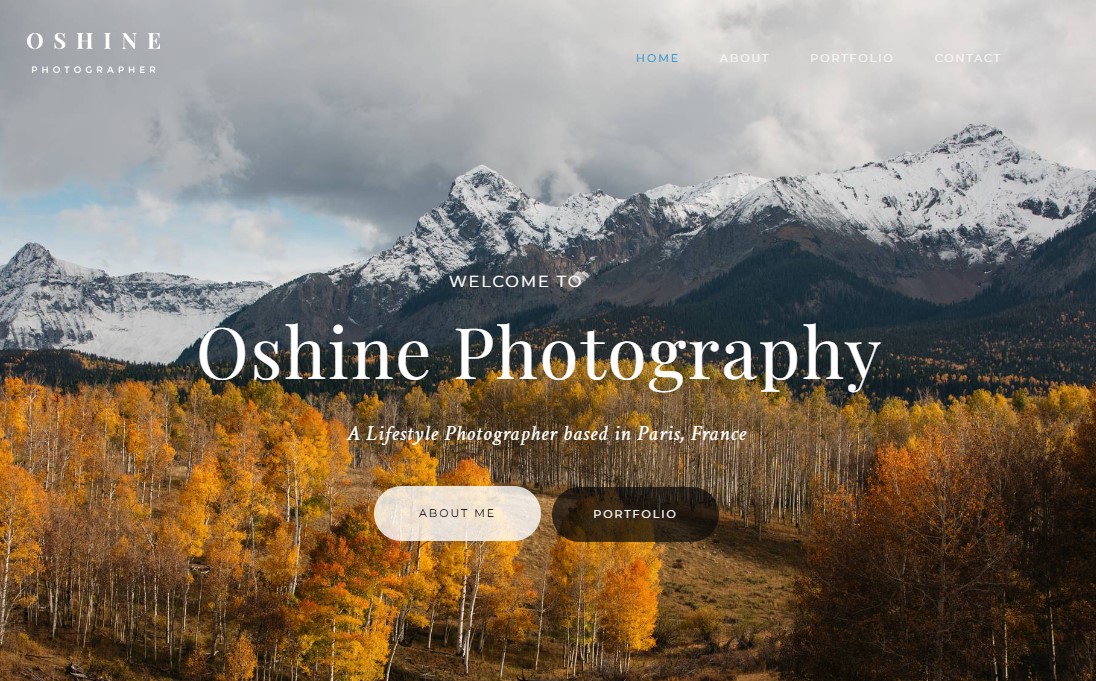
Whether you’re building a complete photography business website with several pages or just a simple one-page portfolio, Oshine has you covered.
The theme also offers plenty of customization options. You get 10+ hover effects, over 50 styling modules, and more than 30 header and menu styles to choose from. It supports image lazy loading and integrates smoothly with Google Maps. Plus, it works well with many popular WordPress plugins, so you can easily add extra features when you need them.
You can create a horizontal carousel slider layout and even combine it with other gallery styles to make your site more dynamic.
On top of that, Oshine is fully compatible with WooCommerce. This free WordPress eCommerce plugin lets you showcase and sell your products using clean product grids and detailed product pages.
Pricing:
Oshine costs $69/year for a single-site license.
Free vs Premium WordPress Photography Themes — Which Should You Choose?
Free WordPress photography themes provide basic portfolio functionality at no cost, while premium themes offer deeper customization, dedicated support, and long-term reliability that free options rarely match. Understanding when each makes sense will save you time and money.
When a Free Theme Is the Right Choice
Free themes make sense in three specific scenarios.
First, if you’re building your first photography website and want to learn WordPress without a financial commitment.
Second, if you have a very simple portfolio need — a handful of galleries and a contact page — that doesn’t require advanced functionality.
Third, if you plan to use a premium page builder like Elementor or Divi, which effectively adds premium design capability on top of a free base theme like Neve or Astra.
The main limitations of free themes are inconsistent update schedules, no dedicated support channels, and limited customization options.
When a Premium Theme Is Worth the Investment
Premium themes earn their cost for photographers building a serious business website. They include regular security updates, tested compatibility with new WordPress releases, documentation, and support tickets — all of which free themes rarely provide.
Other than that, premium themes also typically include demo content you can import with one click, cutting your setup time from days to hours.
The average premium photography theme costs $59–$89/year and includes updates and support. For a business website that represents your brand to potential clients, this is a low-cost investment relative to the revenue it can generate.
The clear winner for most professional photographers: start with a free WP theme to learn WordPress, then invest in a premium theme when you’re ready to launch a business-grade site.
Conclusion: Best WordPress Themes for Photographers
The best WordPress theme for your photography website is the one that matches your specific niche, technical comfort level, and business goals — not the one with the most features or the highest Google ranking.
If you shoot weddings, start with Oshine. If you prioritize speed, go with Astra. Or if you’re on a zero-budget, Neve is genuinely professional-grade.
Stop waiting for the “perfect” theme. Pick a theme from this list that fits your niche, install it today, import the demo, and replace the placeholder content with your best work.
A good theme with your real photography will always outperform a perfect theme you haven’t launched yet.
Your photography is the product. The theme is just the frame. Make it a good one, then get out of the way and let your work speak for itself.
For more, check out these other helpful resources:
- 19 Best Free WooCommerce Themes For Your Online Store
- 12 Best WordPress Block Themes for Full Site Editing
- 10+ Best One-Page WordPress Themes [Most Are Free to Start]
Lastly, follow us on Facebook and X (formerly Twitter) to stay updated on the latest WordPress and blogging-related articles.
